
Your whole teaching business, in one pocket diary.
Tutor Diary tracks every class, every attendance, every session pass and every payment, so you can stop chasing paperwork and get back to teaching. Free, private, and it works without internet.
Tour every feature- Free to use
- No account needed
- Works offline
- 5 languages
Teaching is the easy part. The admin is what eats your Sunday night.
Most teachers hold a class together with a notes app, a spreadsheet, a calendar and forty chat threads. Tutor Diary replaces the whole pile with one calm place that already understands how classes, passes and makeups work.
-
No more "who paid for what?"
Every student has a pass balance for every class. It goes up when you confirm a payment and down when a session is completed, so you always know where you stand without opening a spreadsheet.
-
No more missed lessons lost in chat
When a student misses a session, the absence is tracked until you pick the lesson they will make it up in. Nothing quietly disappears, and nobody gets short-changed.
-
No more Sunday-night report writing
Rate each student and jot a note right after the lesson. A branded recap for the parents is two taps away, already written, already beautiful.
Twelve tabs. One diary. Zero loose ends.
Flip to any tab and you will find a tool built for one specific teaching chore, finished properly and wired to everything else.
- Dashboard Open the app. Know your day. The moment Tutor Diary opens, it answers the only questions that matter: what is on today, what needs me, and how is the month going? No digging, no tapping around.
- Sessions & attendance Every lesson, perfectly on the record. Run each lesson like a pro: take attendance in seconds, rate each student, write the notes while they are fresh, and complete the session when you are done.
- Classes & schedule Your whole timetable, on autopilot. Define a class once, with its weekly slots, head teacher and roster, and sessions appear on the calendar by themselves. Holidays and closures skip cleanly.
- Students & teachers Everyone you teach, one tap away. A clean profile for every student and teacher: contact details, guardians, classes and balances in one view. Know exactly who you are talking to before you pick up the phone.
- Passes & billing Get paid without the awkward chase. A session-pass system made for how teaching really works. Sell packages from your price list, confirm payment with one tap, and let the balance do the bookkeeping.
- Recaps & invoices Paperwork parents actually admire. Turn a completed session or a billing into a branded document in two taps. Your logo, your colors, your policies, ready to send through any messaging app.
- Absences & makeups No missed lesson slips through. A student misses a session, and the diary remembers. Absences stay on your list until a makeup lesson is chosen, so every family gets the fairness they were promised.
- Planner The to-do list that taps you on the shoulder. Your own tasks live next to your classes: marking exams, calling a parent, booking a room. Set a time and the app reminds you.
- Expenses See what teaching really earns you. Revenue is only half the story. Log what running your classes costs, by category, and the diary works out your net income for you.
- Analytics Your business, in plain numbers. Monthly and yearly reports for your whole business, or for any single class, student or teacher. Always up to date, never something you have to generate.
- Diary & branding Make the diary unmistakably yours. Set your name, tagline, logo and contact details once, and they follow you onto every document. Then make the app look and feel the way you like.
- Backup & privacy Sleep easy. Your data is safe. Everything is stored on your device and protected by an app lock. Back it up to keep it forever, and restore it on a new phone in minutes.
See it in action
Real screens from the app, running on sample data. Swipe through.
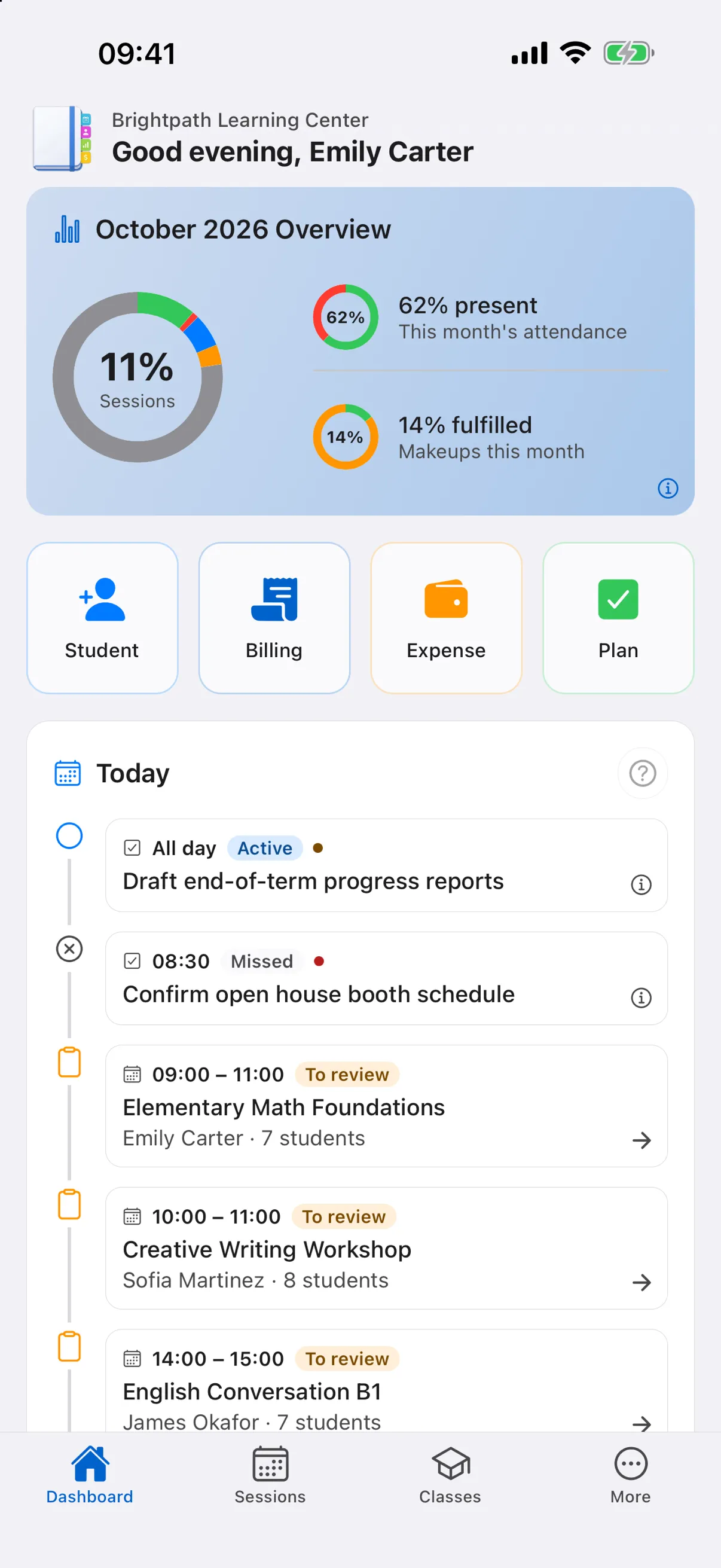
Today at a glance: sessions, alerts and quick actions 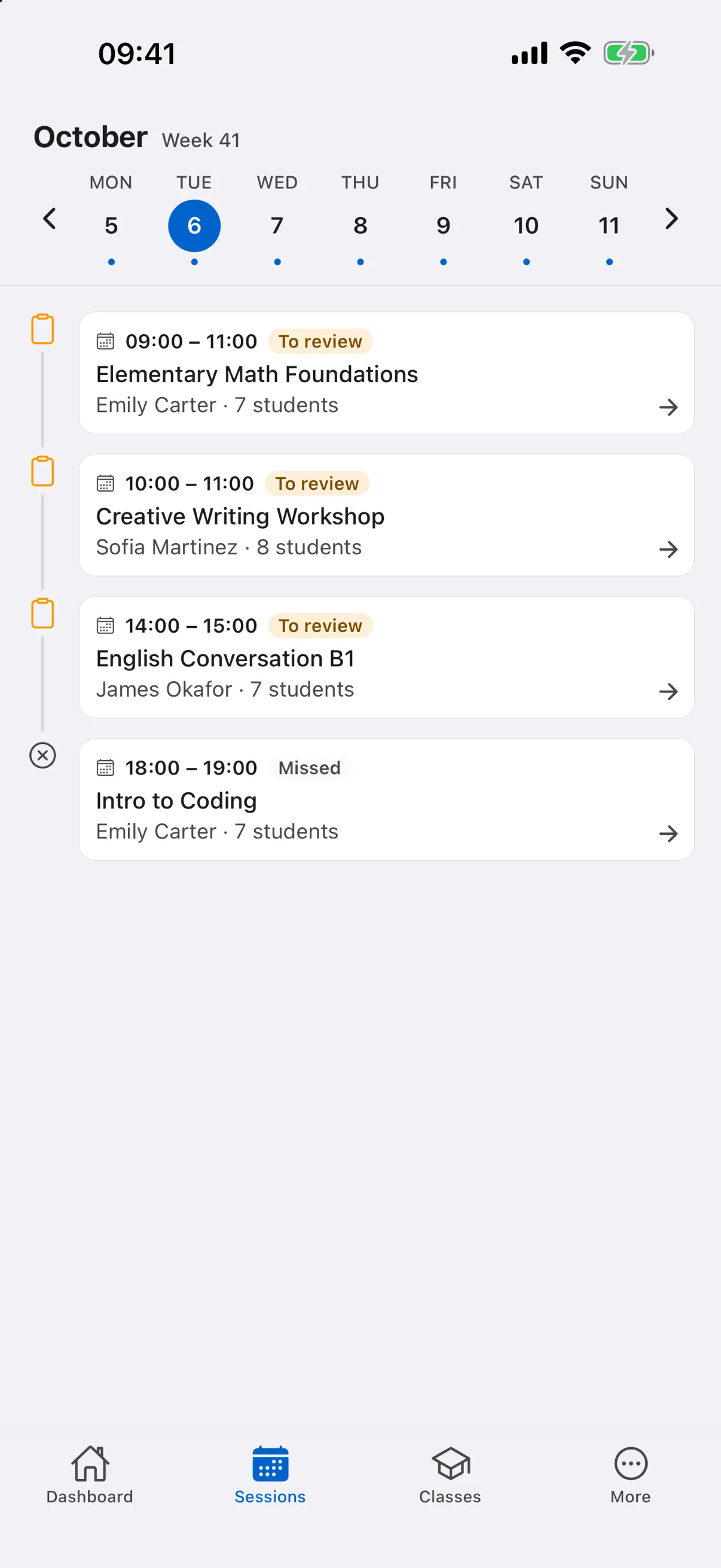
Your week as a simple timeline 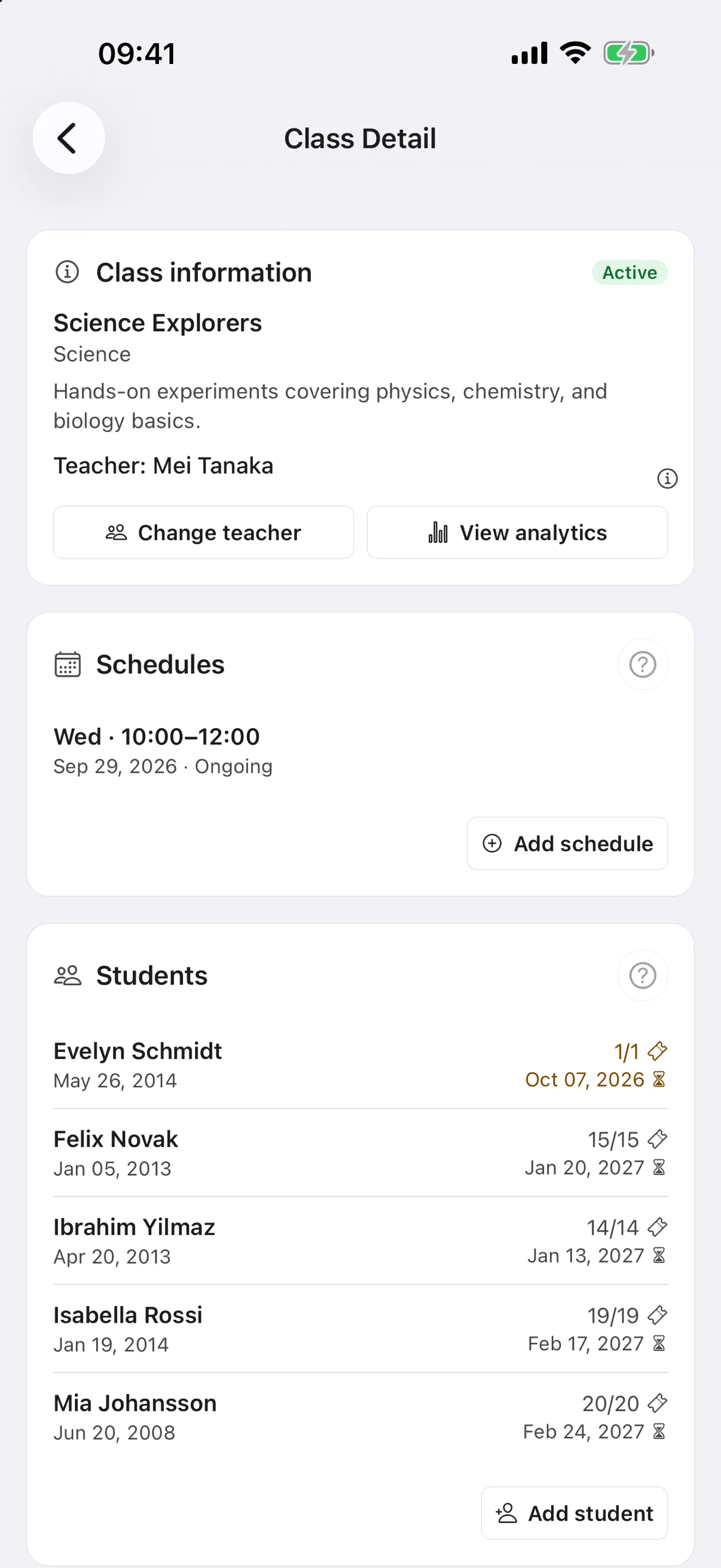
Schedule, teacher and students for each class 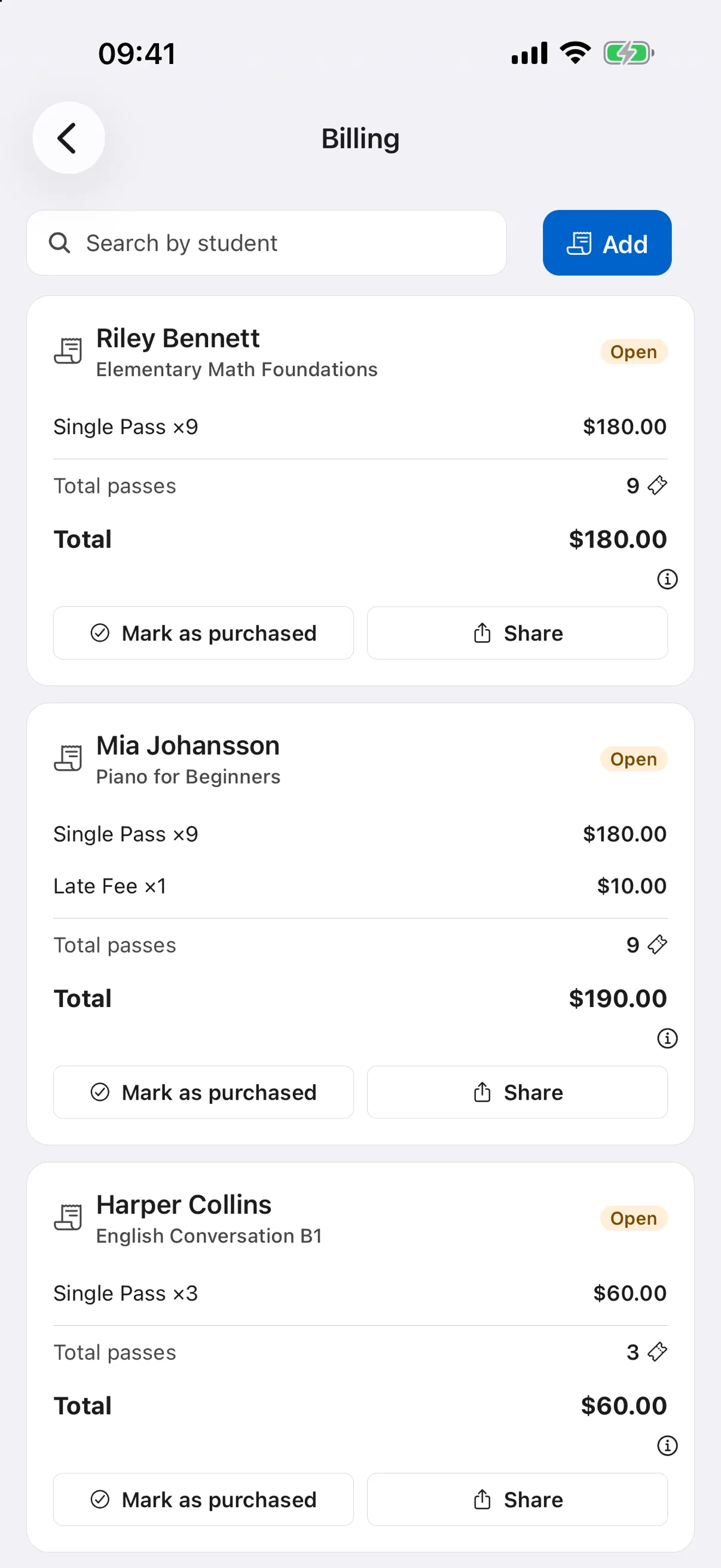
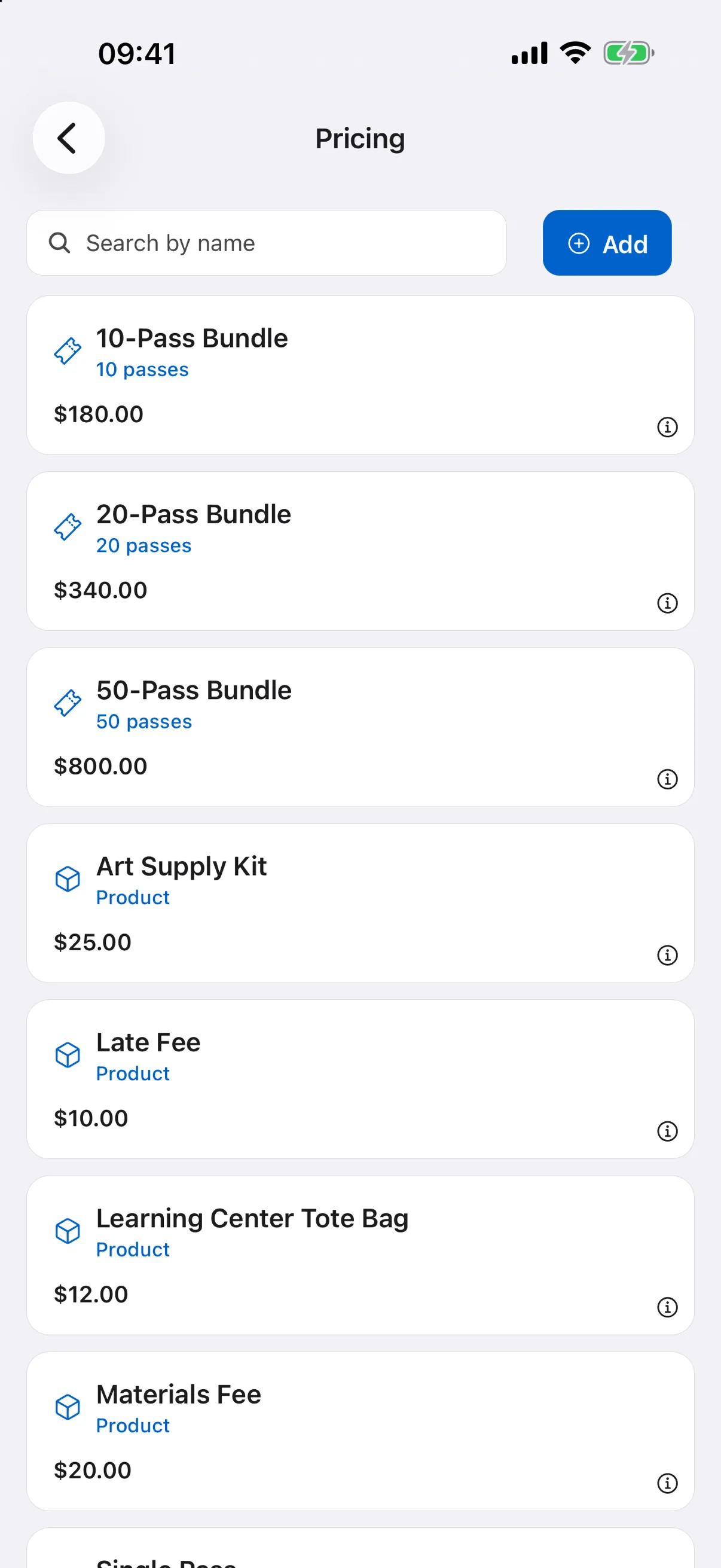
Billings with one-tap purchase and share 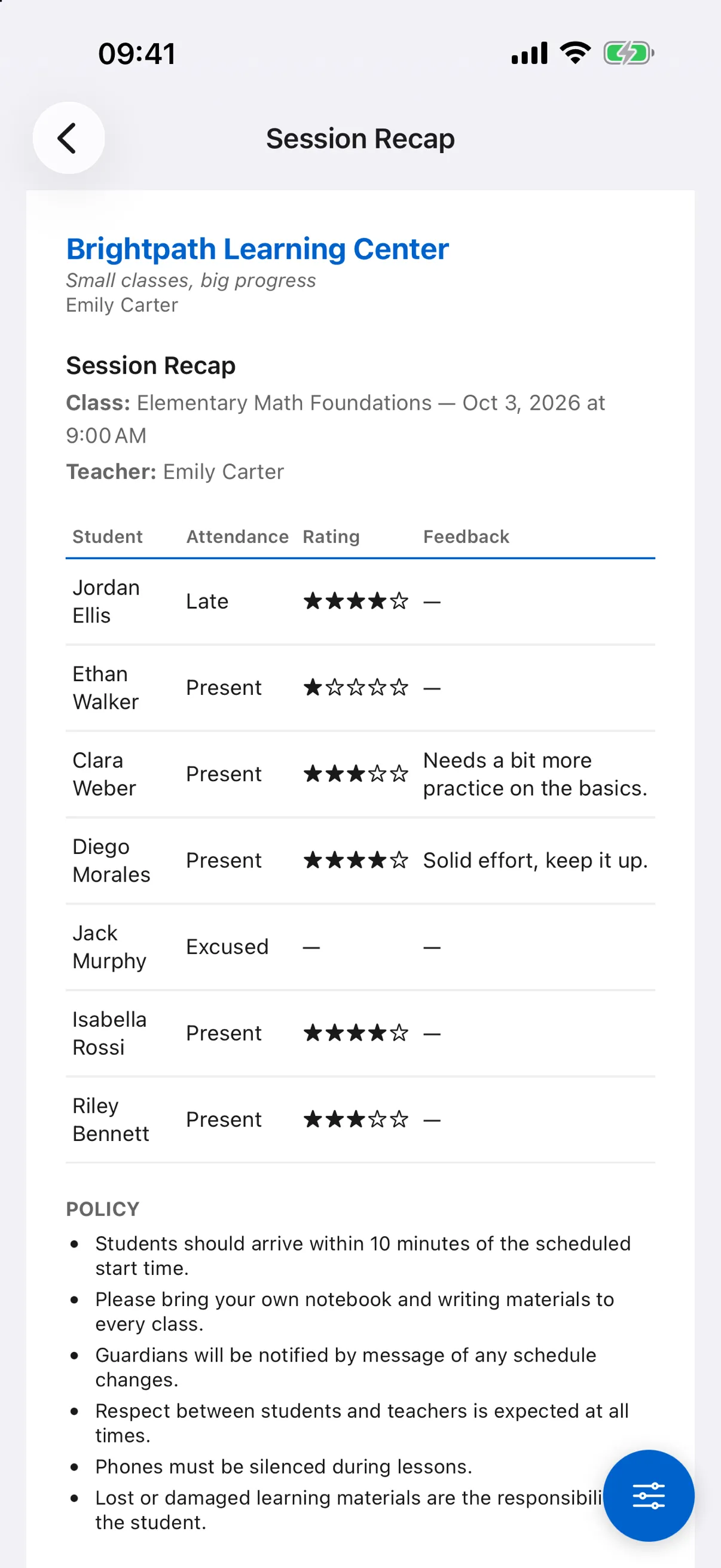
Share a branded session recap with parents 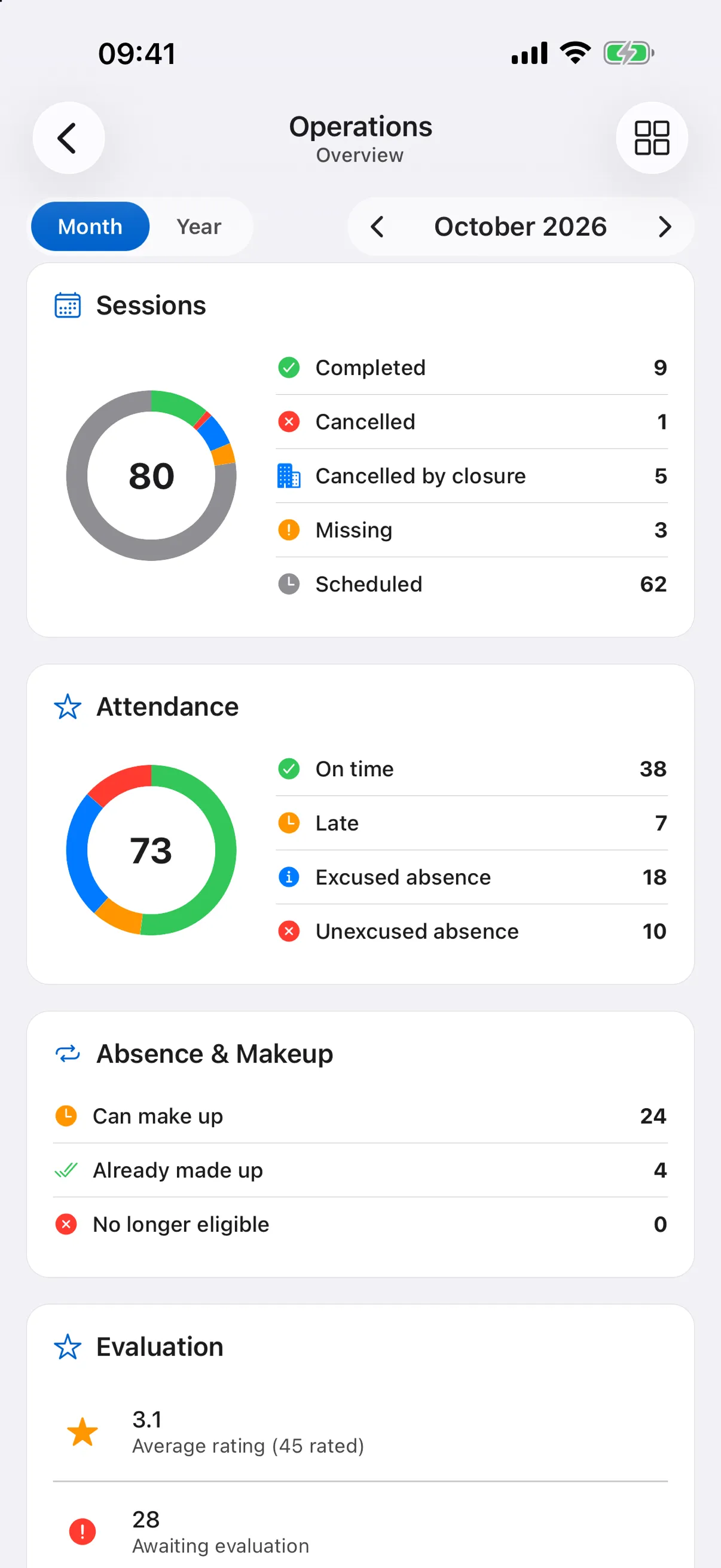
Sessions, attendance and ratings at a glance
The session pass: the simplest way to get paid for teaching
Instead of billing lesson by lesson, your students hold a balance of passes, like a coffee loyalty card for learning. It is how tutors and learning centers actually work, and Tutor Diary is built around it from the first line.
-
Build a billing from your price list
Pick the student and the class, then add pass packages (say, 20 passes) and extras like books or pens from your own catalogue. Share it as a tidy invoice before payment even arrives.
-
Tap once when the money lands
Mark the billing as purchased and the passes appear on the balance. It is final by design, so your books never drift.
-
Complete a session, passes update themselves
Finish a session and every student recorded on it uses one pass. You never type a balance by hand.
-
Get warned before anyone runs dry
Tutor Diary forecasts when each balance runs out, using the class's real schedule and its holidays, and flags students who are running low so renewal conversations happen on time.
Need to move passes between siblings or between a student's classes? Transfer them directly, no billing required.
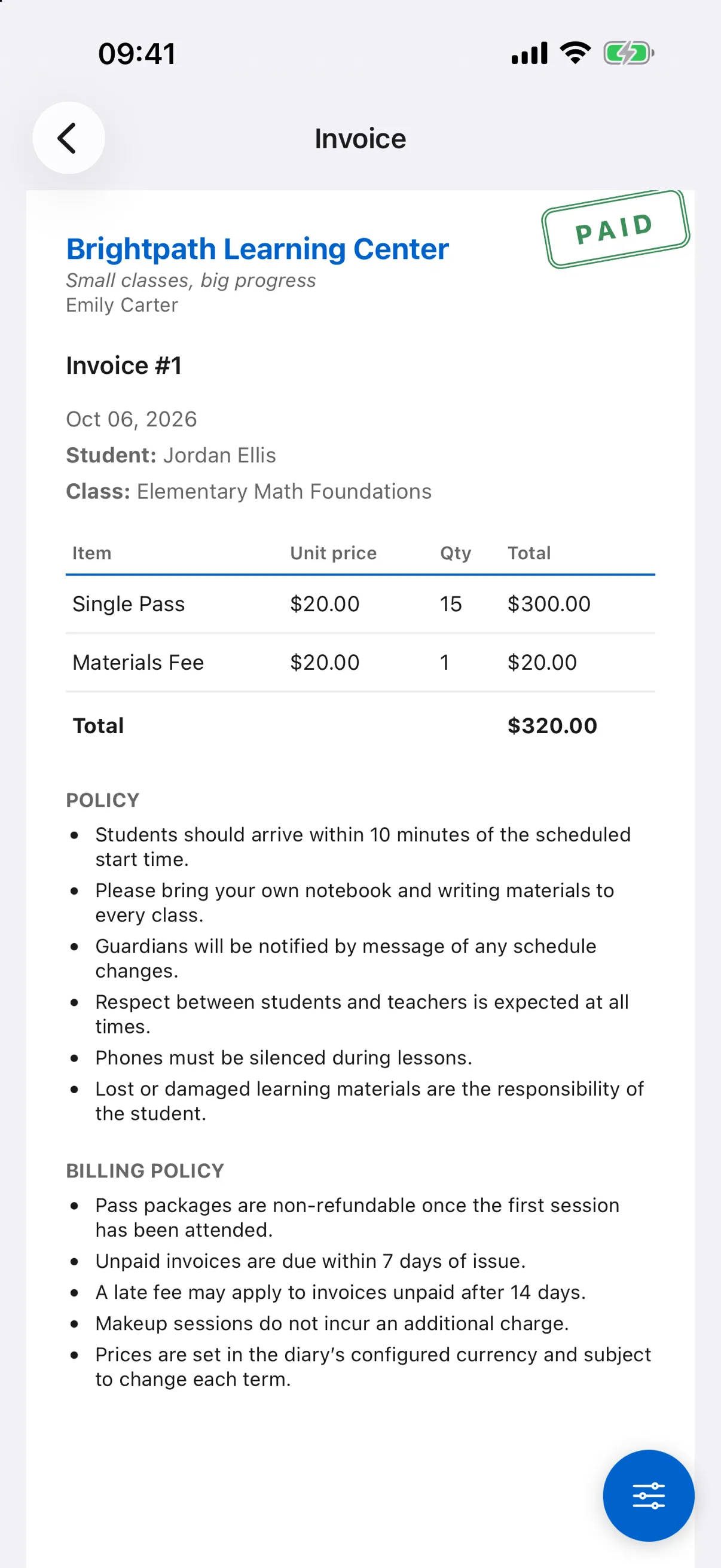
Paperwork that makes you look like the pro you are
Session recaps, invoices and analytics reports leave your phone as polished documents carrying your name, logo, contact details and policies.
- Three print designs
- Standard, Pro or Creative layouts, each with an accent color you choose from a full color wheel.
- PDF or image, your call
- Crisp, multi-page-safe PDFs for invoices. Quick images for chat. Send through any app on your phone.
- Your policies, printed for you
- Your diary policy and billing policy appear at the bottom, so your terms are always in front of the parent.
Your students' data stays where it belongs: with you
Tutor Diary has no sign-up, no server and no feed. Everything lives on your phone.
-
No account, ever
Open the app and start. There is no email to confirm and no password to forget.
-
Works in a basement classroom
No signal, no problem. Every feature works fully offline.
-
Locked with your face or fingerprint
Turn on the app lock and choose how quickly it re-locks after you leave.
-
Backups you control
Keep up to five on-device backups, share one to the cloud or a new phone, and get reminded when it has been too long.
Built for people who teach for a living
-
Private tutors
Juggling a dozen students across subjects? Keep each one's attendance, balance and progress straight.
-
Learning centers
Several teachers, many classes. Assign head teachers and assistants and see the whole center at a glance.
-
Music, language and art teachers
Small-group and one-to-one lessons on a weekly rhythm are exactly what the schedule and pass system were made for.
-
Teachers who are tired of spreadsheets
If your admin lives in five apps, this is the one that replaces them.
Quick answers
Is Tutor Diary free?
Yes, Tutor Diary is free to use.
Do I need an account?
No. There is no sign-up, and your data stays on your device.
Does it work offline?
Yes, the app works without an internet connection.
How do session passes work?
Each student has a pass balance for every class. Completing a session uses one pass for each student recorded, whether they came or not. Add passes by creating a billing for a pass package; the balance updates when you mark it as purchased.
What happens when a student misses a session?
The absence is tracked until you mark it as made up by picking a session the student will attend instead. Outstanding absences are listed in Absences, so nothing gets forgotten.

Your next class starts better with a clear head.
Download Tutor Diary free for iPhone and Android. Set up your first class in minutes.