Tutor Diary
English
Get the app

Every feature, every detail

Twelve tools, one diary. Here is what each one does for you, with real screens from the app.

Dashboard

Open the app. Know your day.

The moment Tutor Diary opens, it answers the only questions that matter: what is on today, what needs me, and how is the month going? No digging, no tapping around.

Monthly health in three rings
Your session mix, attendance rate and makeup rate for the month, with a tap-through to the full analytics report.
Today, in one timeline
Today's sessions and your own plans merged into one list sorted by time, each with a live status.
Alerts before problems
Students who are low on, or already out of, passes are flagged so renewals never sneak up on you.
A needs-attention list
Overdue sessions and overdue plans gather in one place, oldest first, so nothing slides.
Quick actions
Add a student, create a billing, log an expense or jot a plan straight from the home screen.
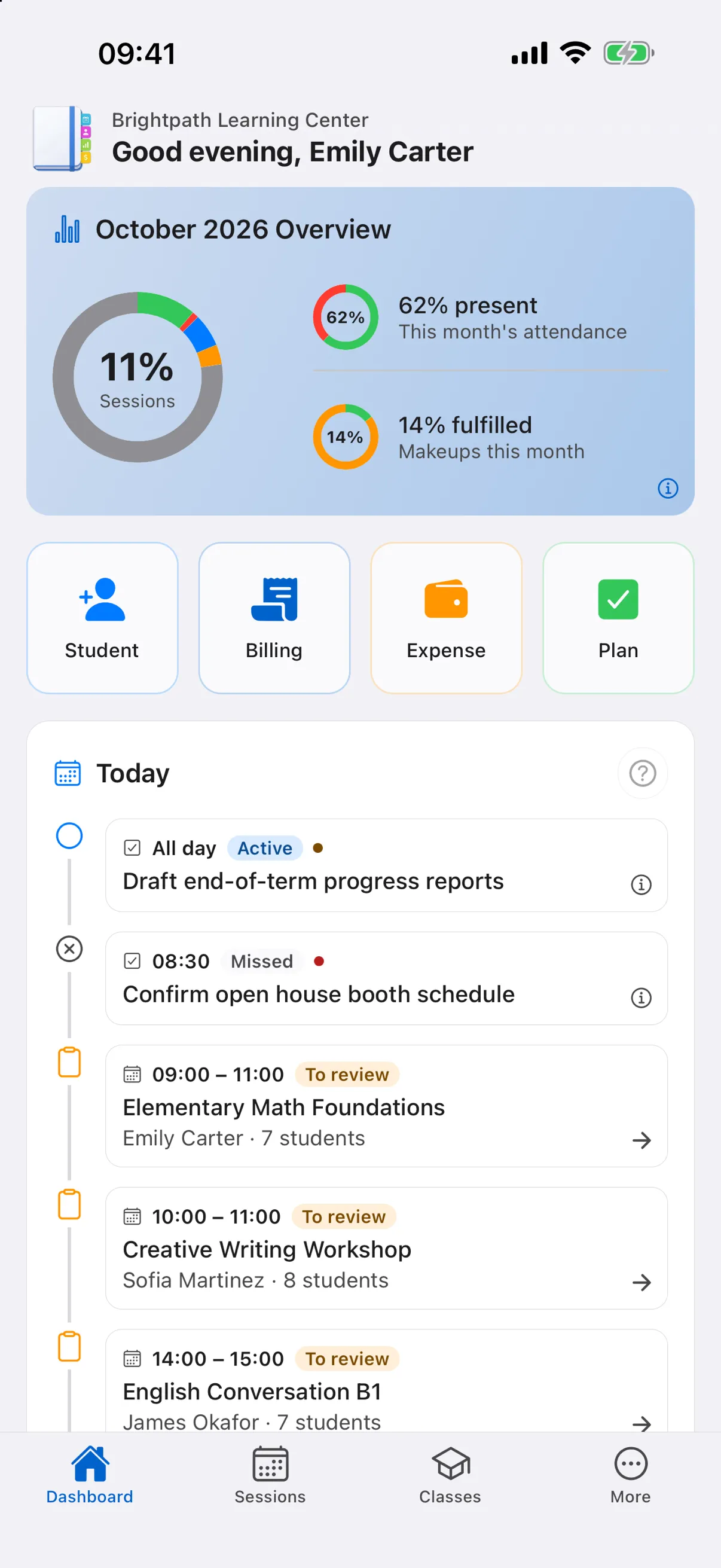
Today at a glance: sessions, alerts and quick actions

Sessions & attendance

Every lesson, perfectly on the record.

Run each lesson like a pro: take attendance in seconds, rate each student, write the notes while they are fresh, and complete the session when you are done.

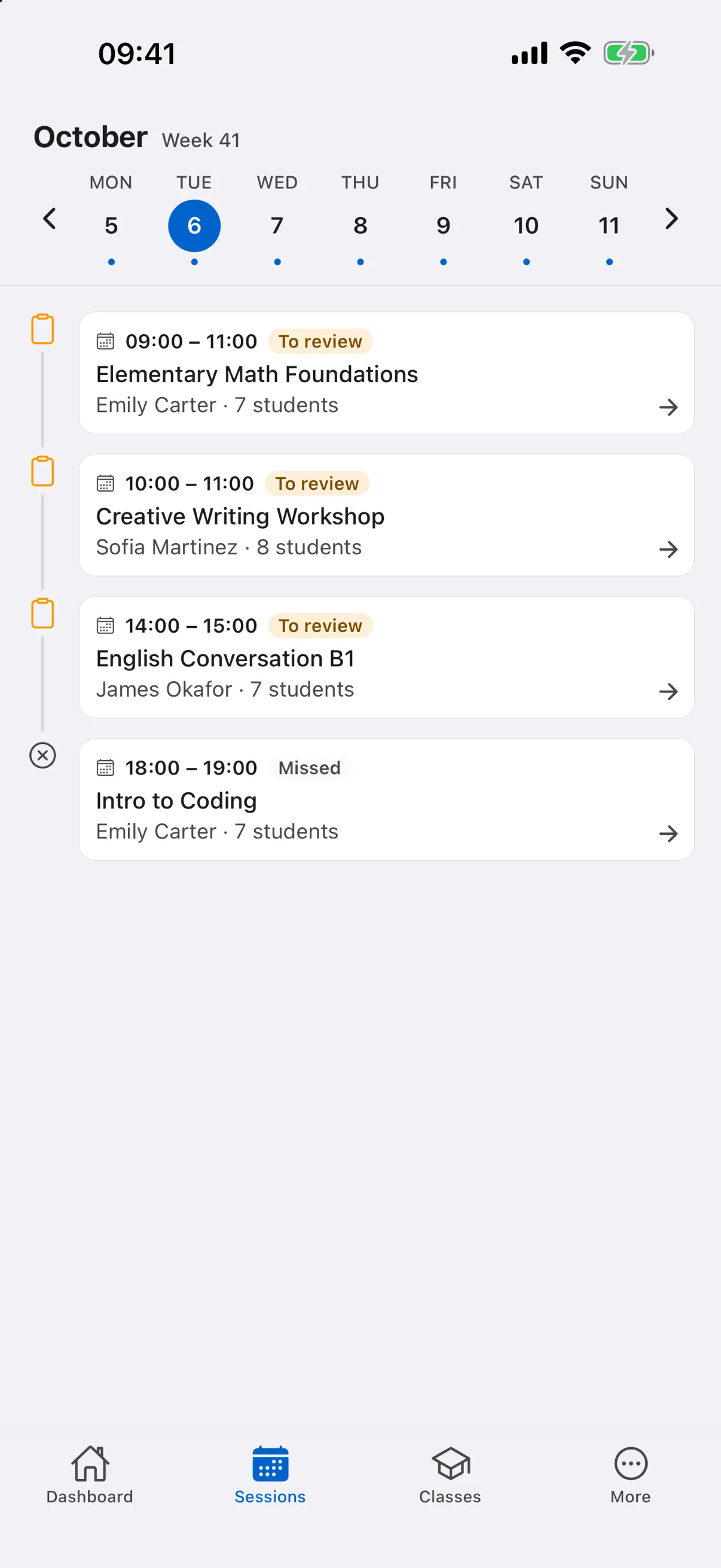
Your week as a timeline
Upcoming, in-progress and finished sessions laid out day by day, generated from your class schedules.
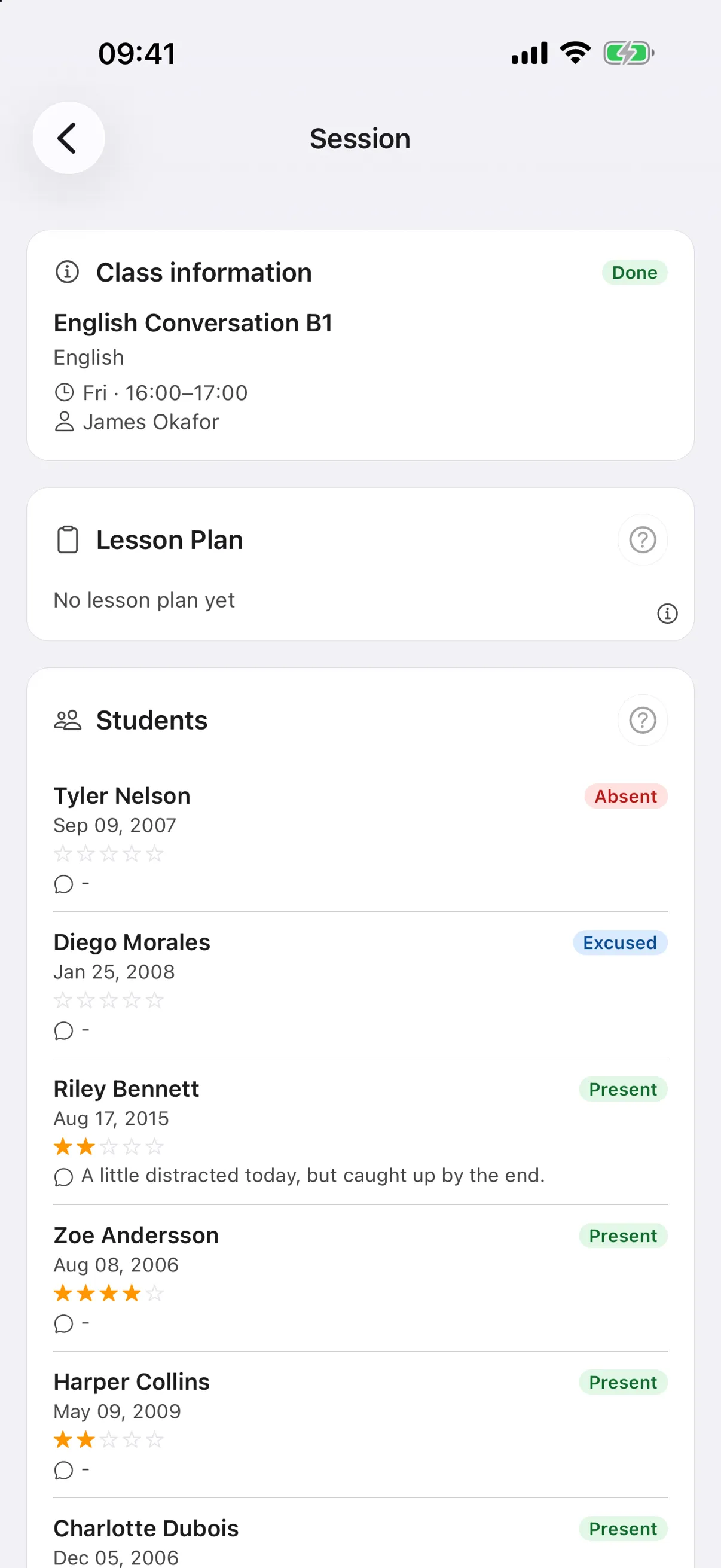
Four honest attendance states
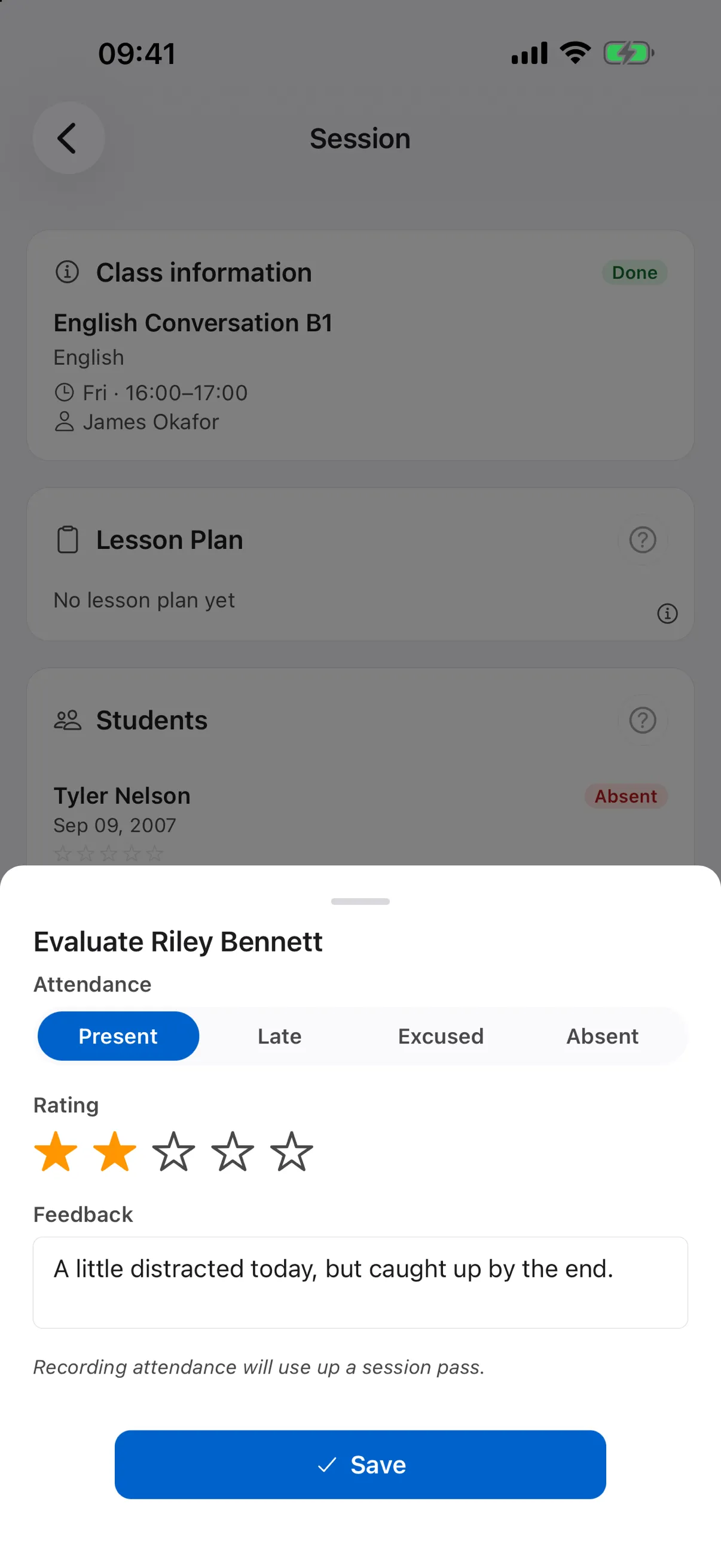
On time, late, excused or unexcused absence. Change a mark any time, even after the session is complete.
Ratings and personal feedback
Give each student a star rating and a note. The progress story builds itself, lesson by lesson.
Lesson plan and session notes
Write what you planned and what actually happened, right on the session.
Assistants welcome
Record who helped teach, so teacher activity is tracked as accurately as student attendance.
Your week as a simple timeline
Attendance, ratings and notes for every session
Edit a student's attendance, rating and feedback

Classes & schedule

Your whole timetable, on autopilot.

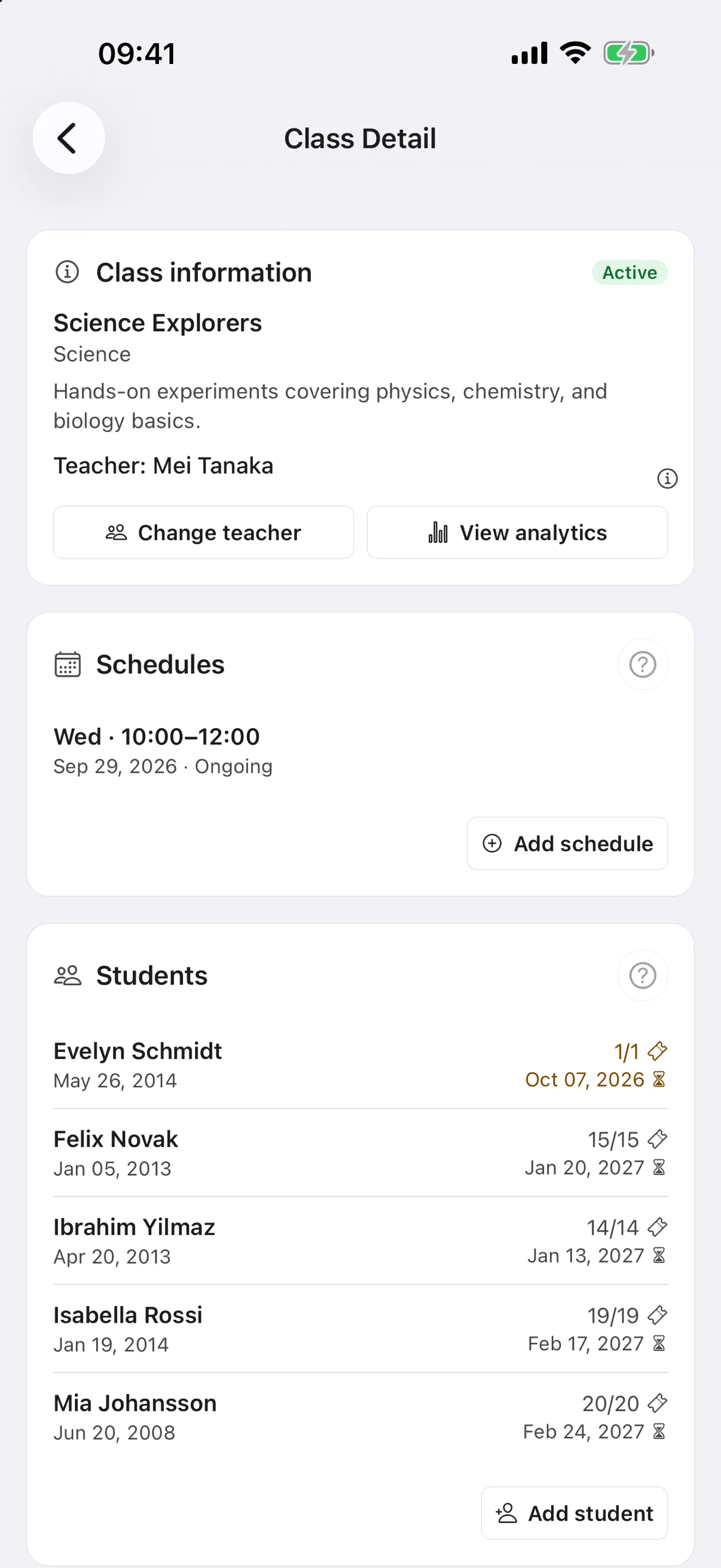
Define a class once, with its weekly slots, head teacher and roster, and sessions appear on the calendar by themselves. Holidays and closures skip cleanly.

Weekly schedules that repeat
Add as many weekly slots as the class needs, each with its own day, time and number of sessions.
Head teacher and assistants
Assign who leads and who helps, per class. Roles stay clear for everyone involved.
Closures that think ahead
Mark a holiday or a closed day once. Affected sessions are skipped, and billing forecasts account for them.
Reminders before every lesson
Get a notification ahead of each class slot, as early as you like: immediately, 15 or 30 minutes, or an hour.
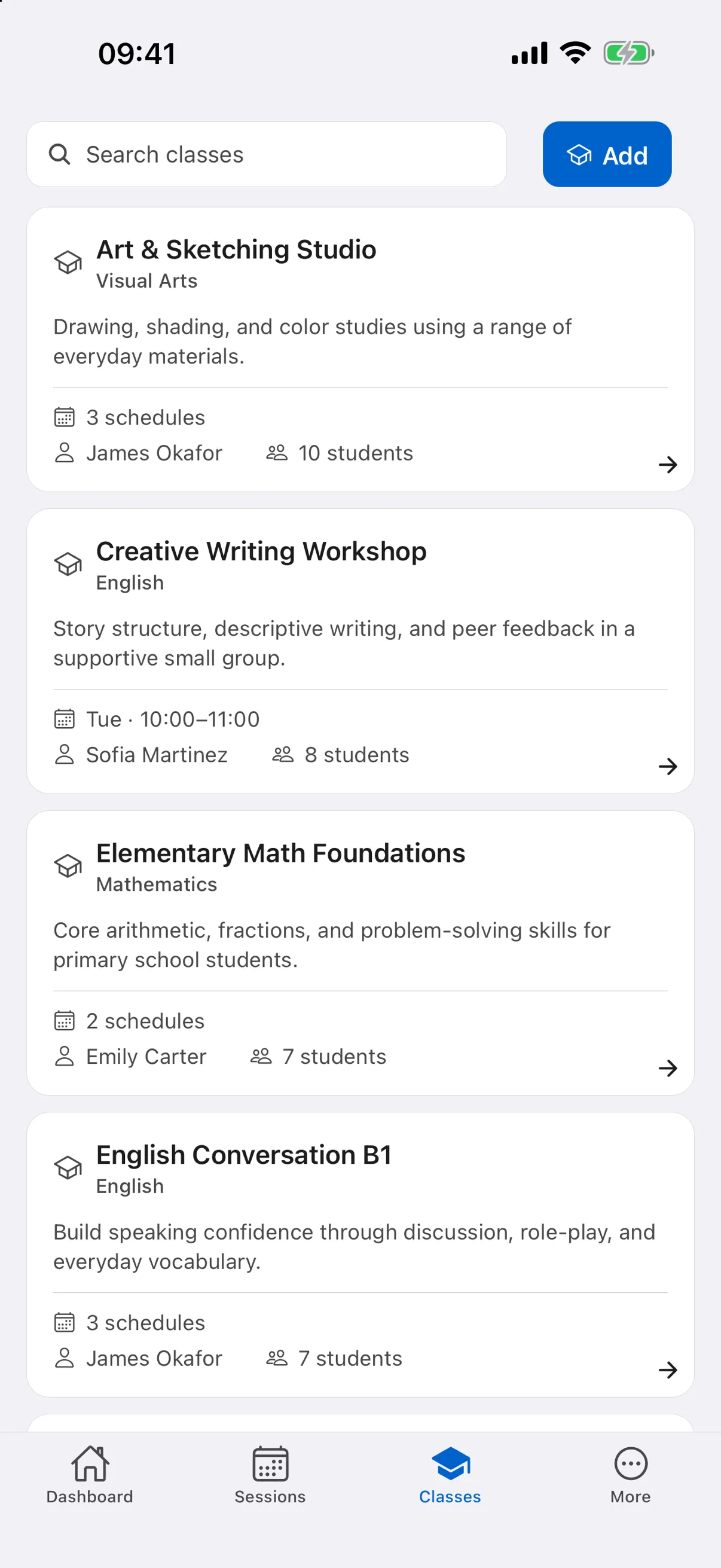
Search and edit in a tap
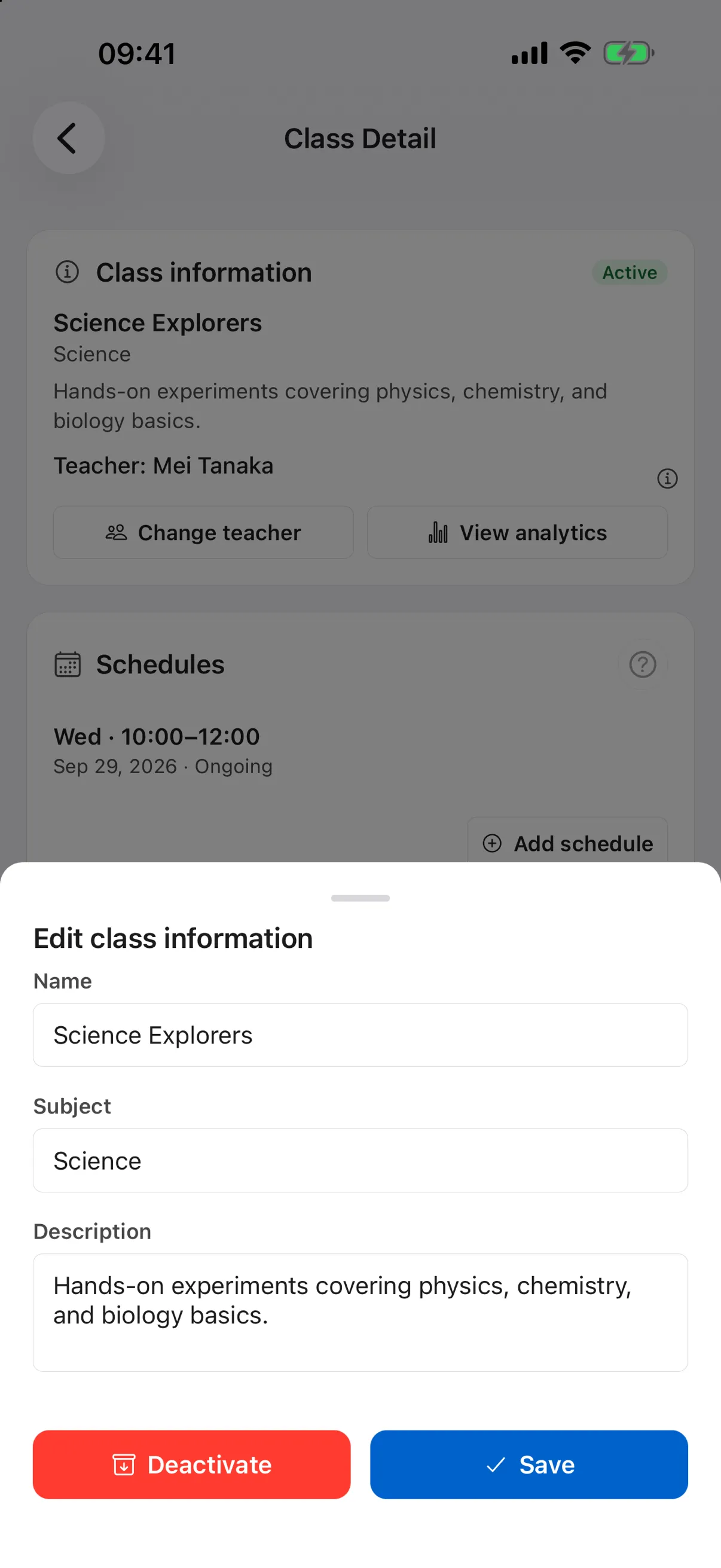
Find any class instantly and change its details without a maze of screens.
All your classes in one searchable list
Schedule, teacher and students for each class
Edit class details in a tap

Students & teachers

Everyone you teach, one tap away.

A clean profile for every student and teacher: contact details, guardians, classes and balances in one view. Know exactly who you are talking to before you pick up the phone.

Complete student profiles
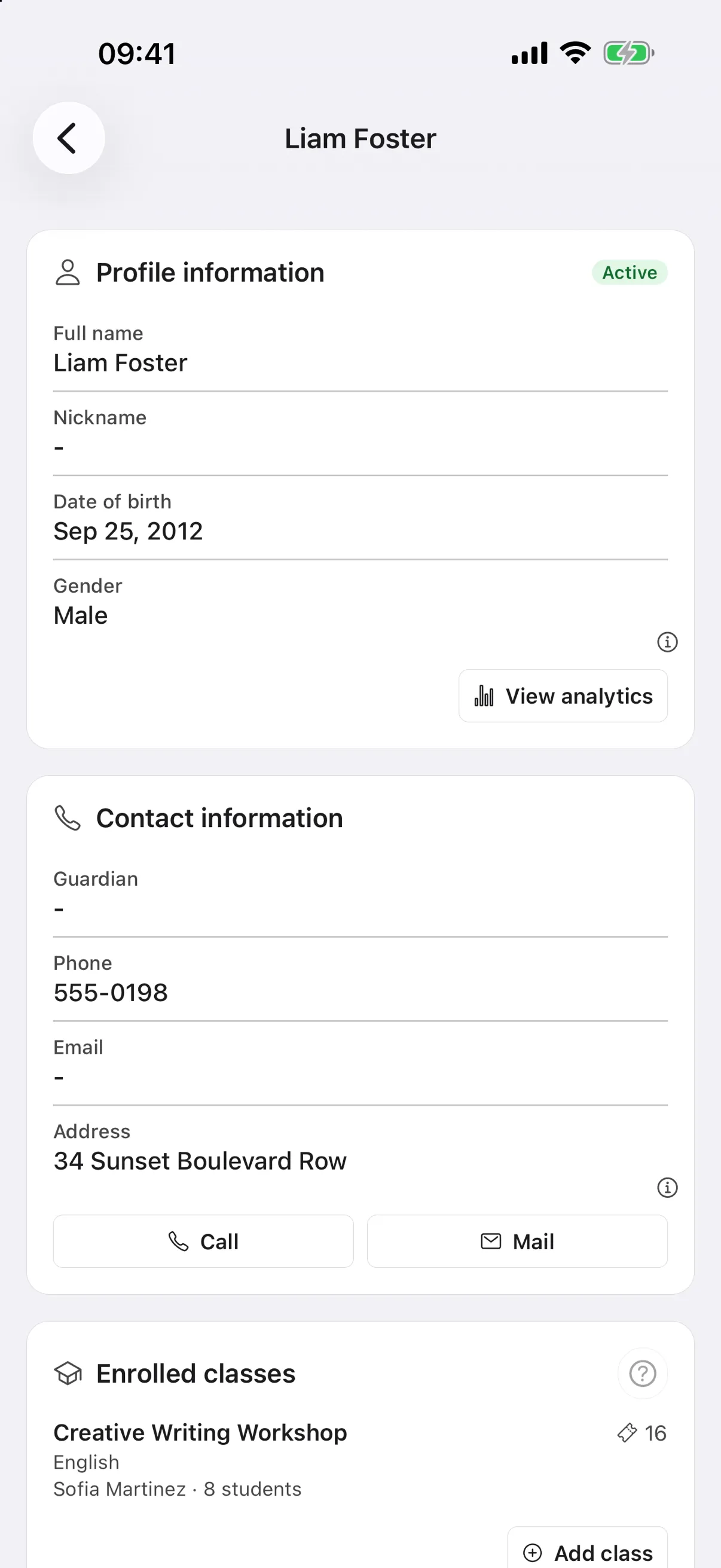
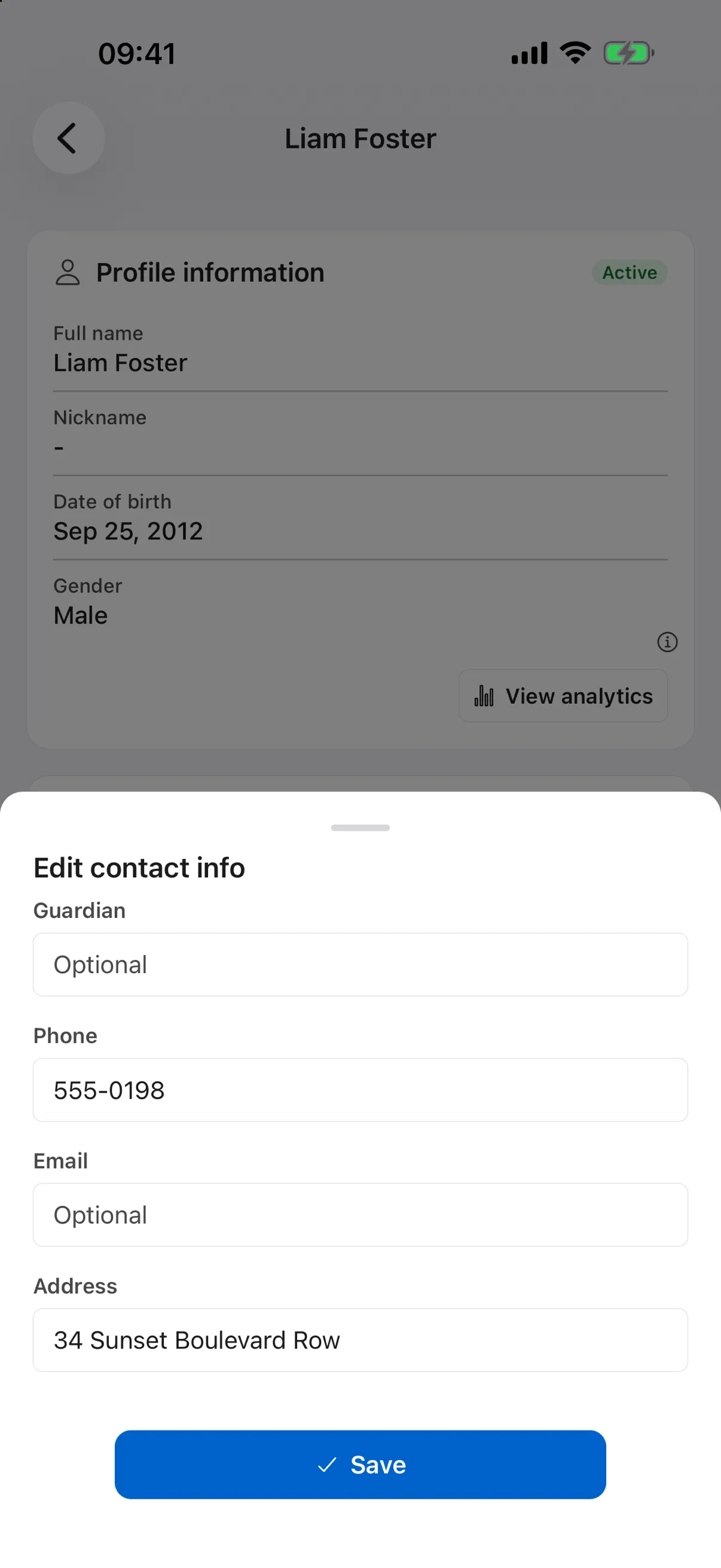
Name, nickname, birthday, gender, phone, email and address, all editable whenever life changes.
Pass balances, per class
A student in two classes has two separate balances. See each one, plus a forecast of when it runs out.
Teachers get profiles too
Add your team, see which classes each one leads or assists, and open their own analytics.
Built for large rosters
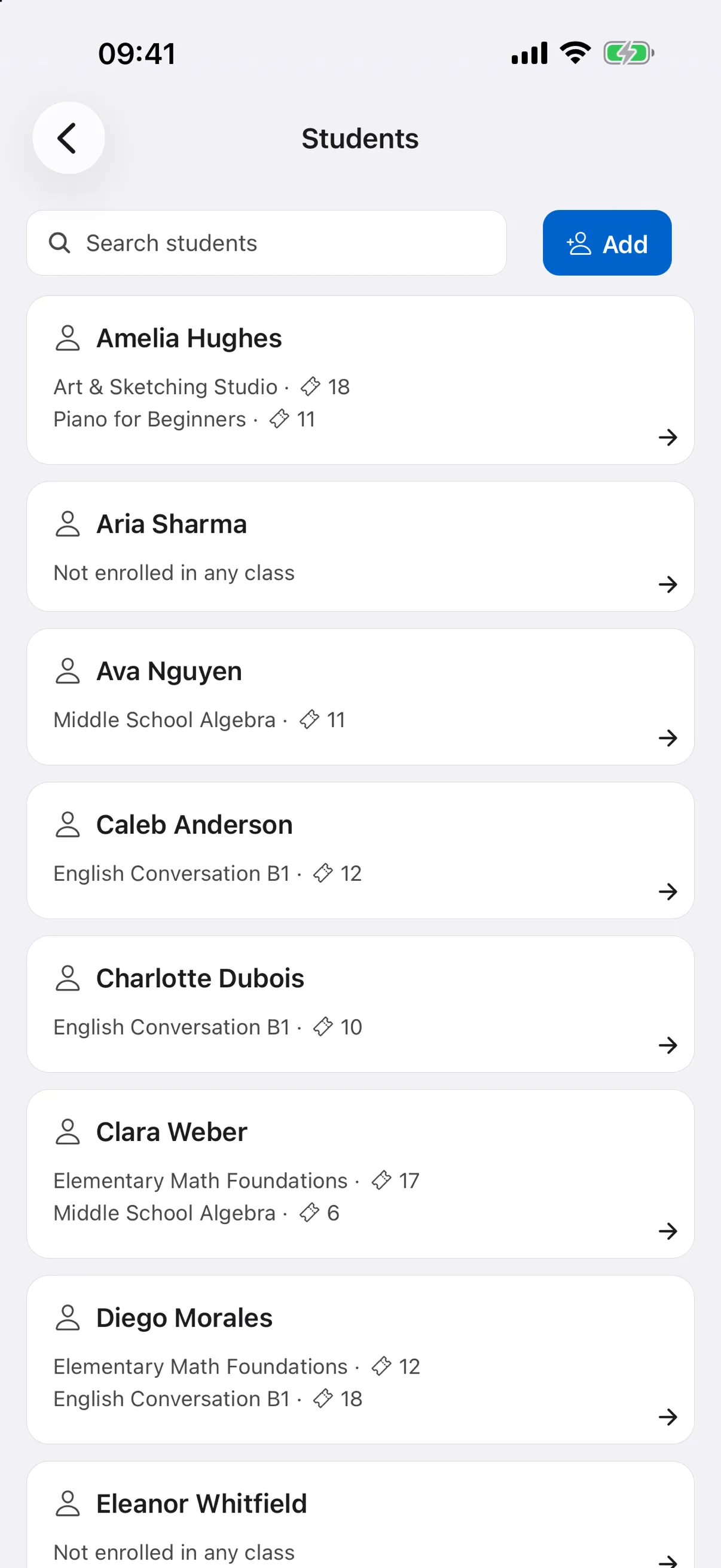
Fast search and smooth scrolling keep even a big center's list snappy.
Every student and teacher profile
Contact info, classes and pass balances per student
Edit contact info any time

Passes & billing

Get paid without the awkward chase.

A session-pass system made for how teaching really works. Sell packages from your price list, confirm payment with one tap, and let the balance do the bookkeeping.

Your own price list
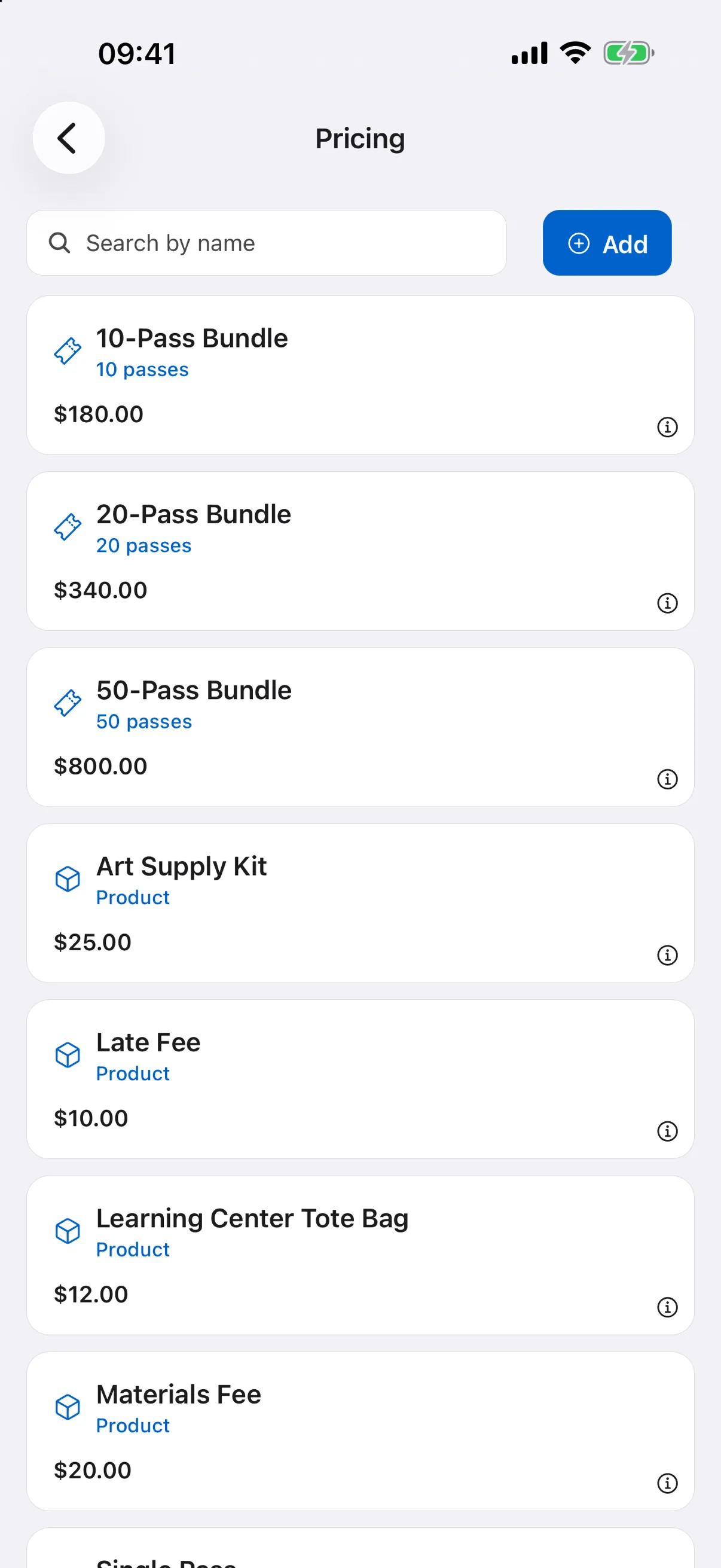
Create pass packages (like 10 or 20 passes) and products (books, materials). Retire old prices without rewriting history.
Billings built like a cart
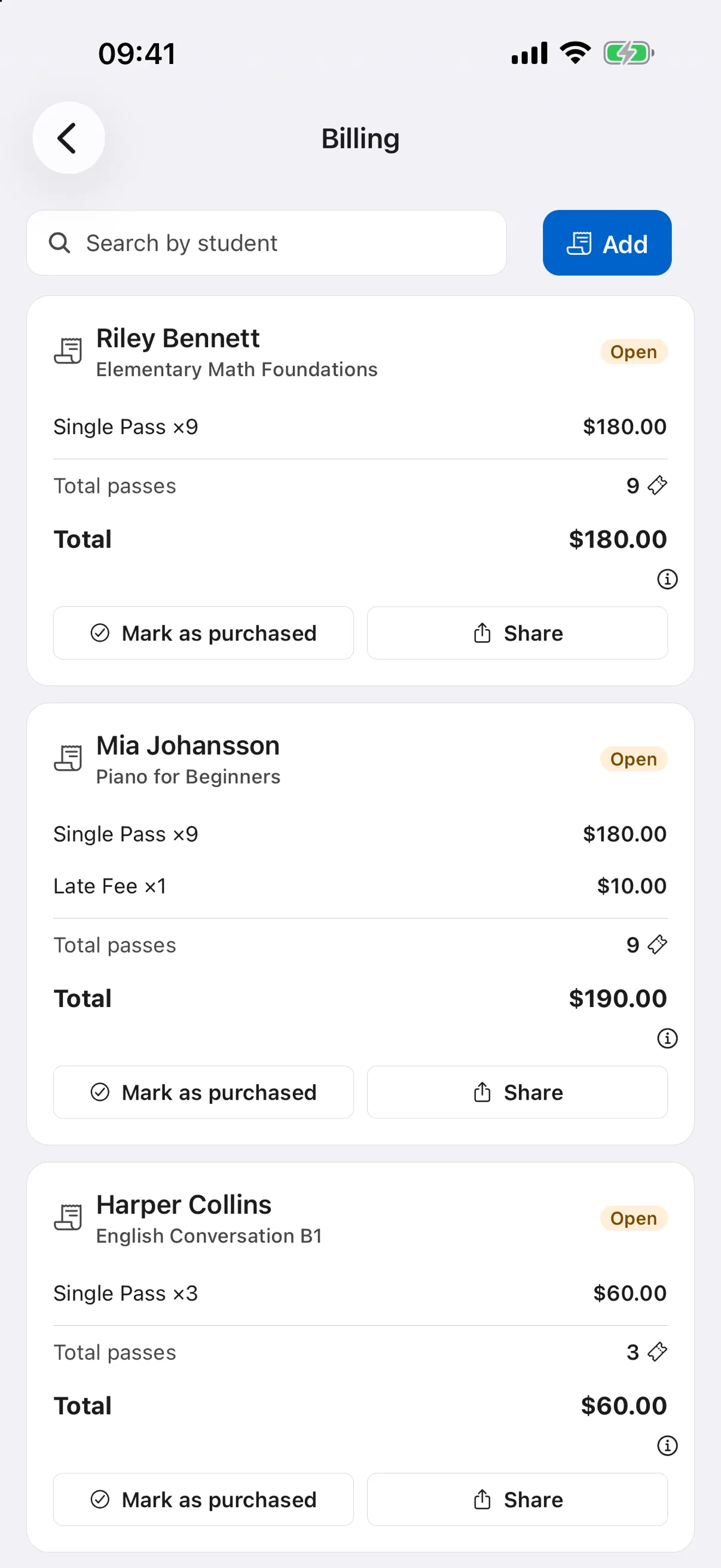
Add several lines with quantities for one student and class. Edit freely until payment is confirmed.
Tap to confirm payment
Mark a billing purchased and the passes post to the balance. It becomes a permanent record.
Transfers between students and classes
Siblings sharing a pack? Move passes straight across, no invoice needed.
Run-out forecast
See the date a balance is projected to hit zero, based on the class's actual schedule and closures.
Billings with one-tap purchase and share
Your pass packages and products

Recaps & invoices

Paperwork parents actually admire.

Turn a completed session or a billing into a branded document in two taps. Your logo, your colors, your policies, ready to send through any messaging app.

Session recaps
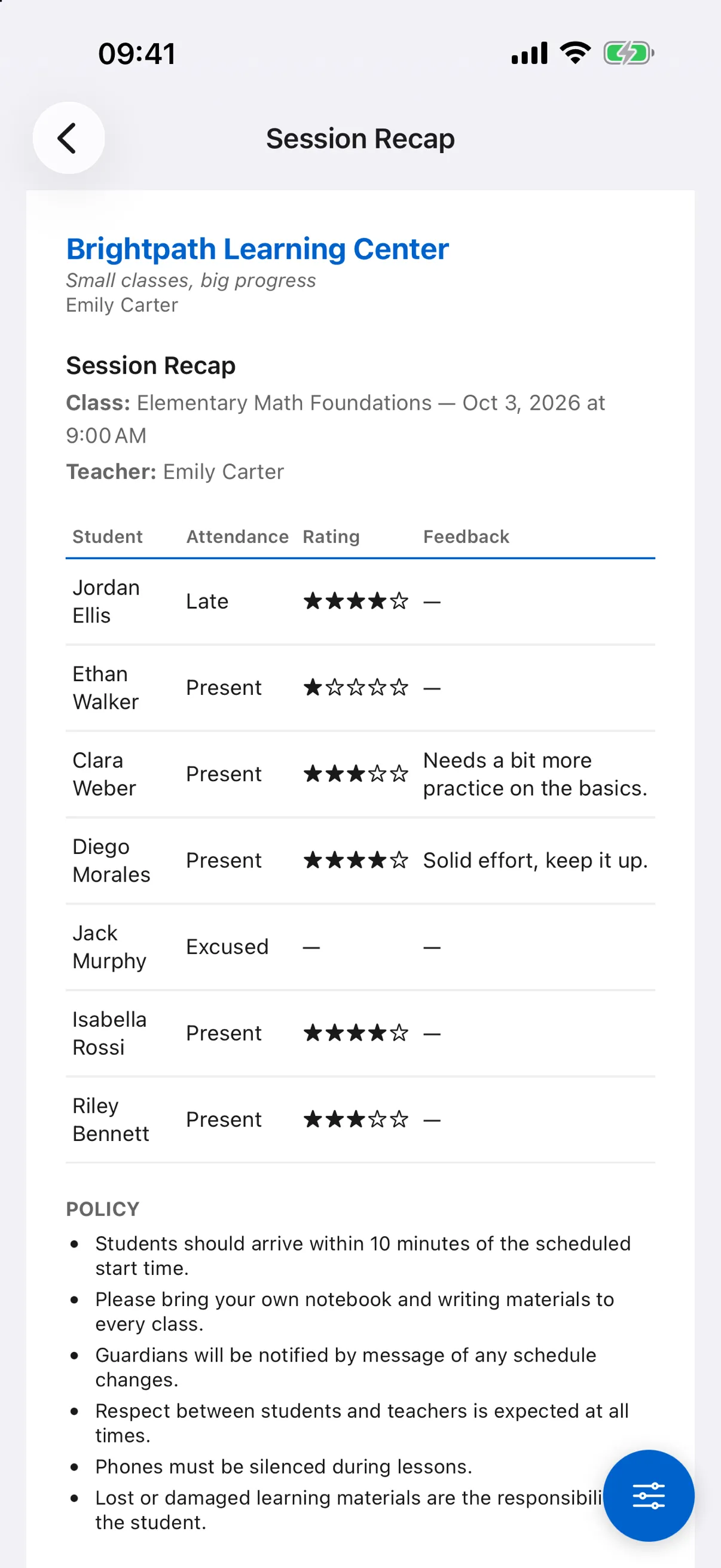
The class, date and time, who attended, each student's rating and feedback, and your notes, in one clear page.
Invoices that look official
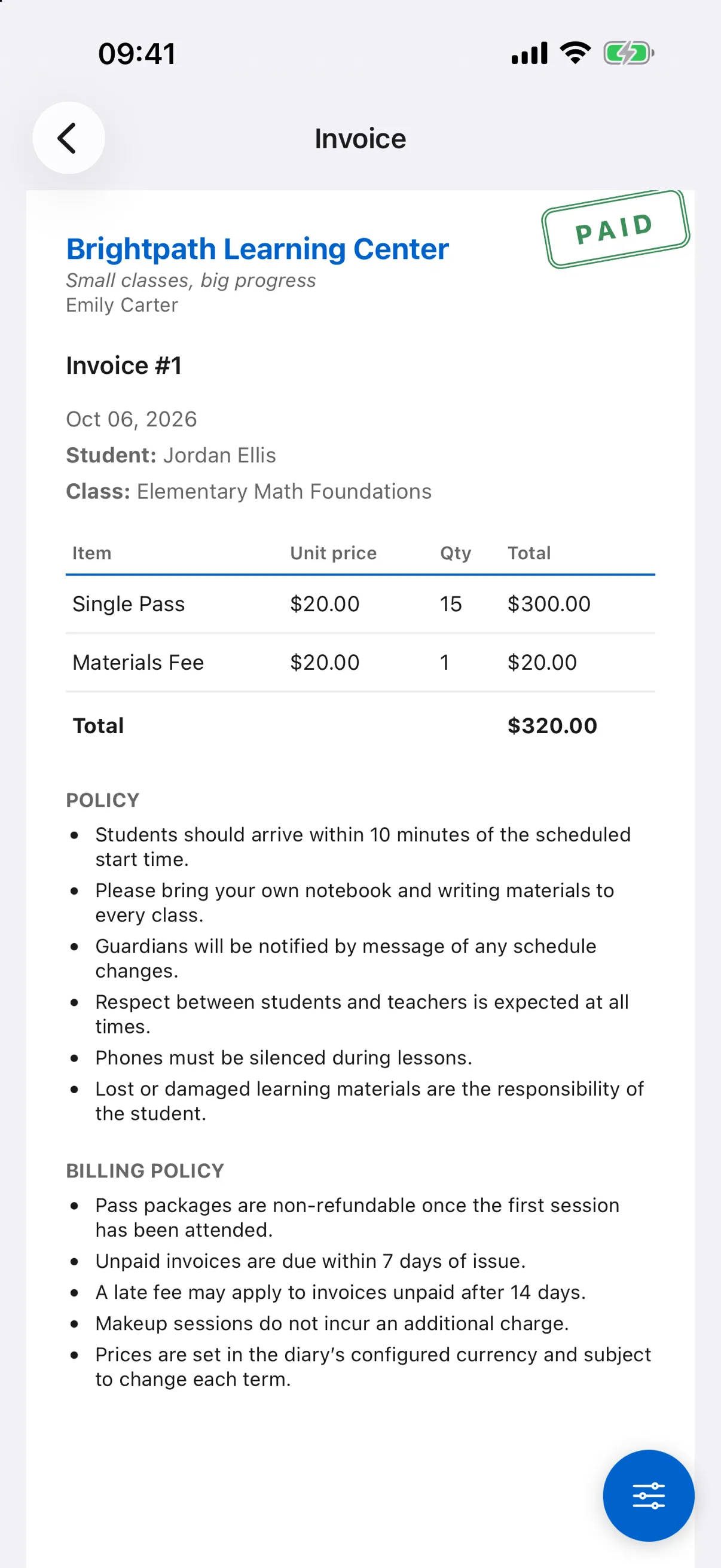
Invoice reference, issue date, line items, total and a Paid or Unpaid stamp. Share before or after payment.
Three templates, any accent color
Standard, Pro or Creative, with a color wheel to match your brand. One choice applies everywhere.
PDF or image in one tap
Sharp, properly paginated PDFs, or images made from the same PDF so nothing is ever cut off.
Analytics reports to share
Send a class, student or teacher report for any month or year as the same branded document.
Share a branded session recap with parents
Share a branded invoice as PDF or image

Absences & makeups

No missed lesson slips through.

A student misses a session, and the diary remembers. Absences stay on your list until a makeup lesson is chosen, so every family gets the fairness they were promised.

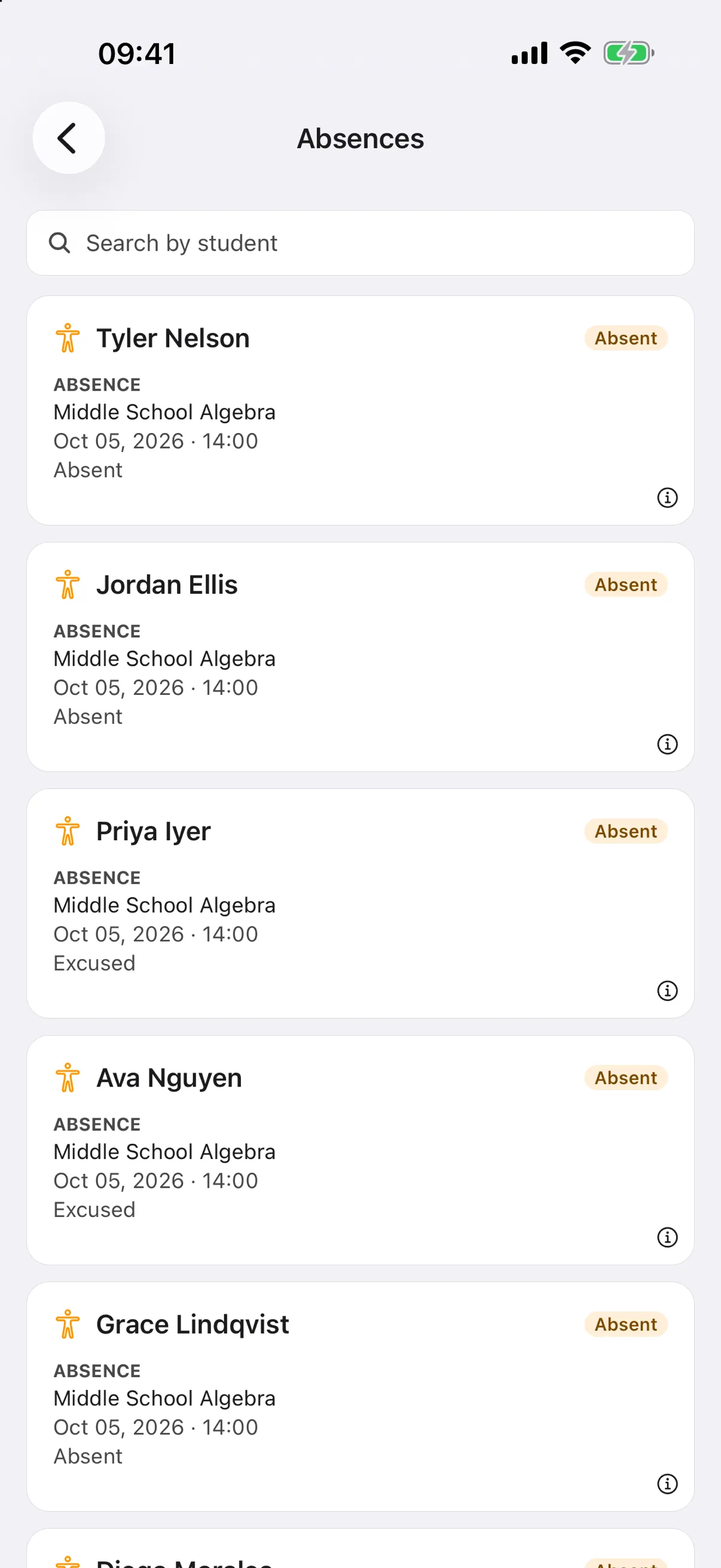
One list of every open absence
See who owes a makeup, for which session, and how long they have left.
Pick the makeup lesson
Choose an upcoming session in the schedule as the makeup. Clear it and choose again whenever plans change.
Rules you set
Decide how many days an absence stays eligible for makeup and how far ahead a makeup can be picked.
Fulfillment at a glance
Your monthly makeup rate sits on the dashboard and in analytics, so you can see how reliably you deliver.
Every absence tracked until it is made up

Planner

The to-do list that taps you on the shoulder.

Your own tasks live next to your classes: marking exams, calling a parent, booking a room. Set a time and the app reminds you.

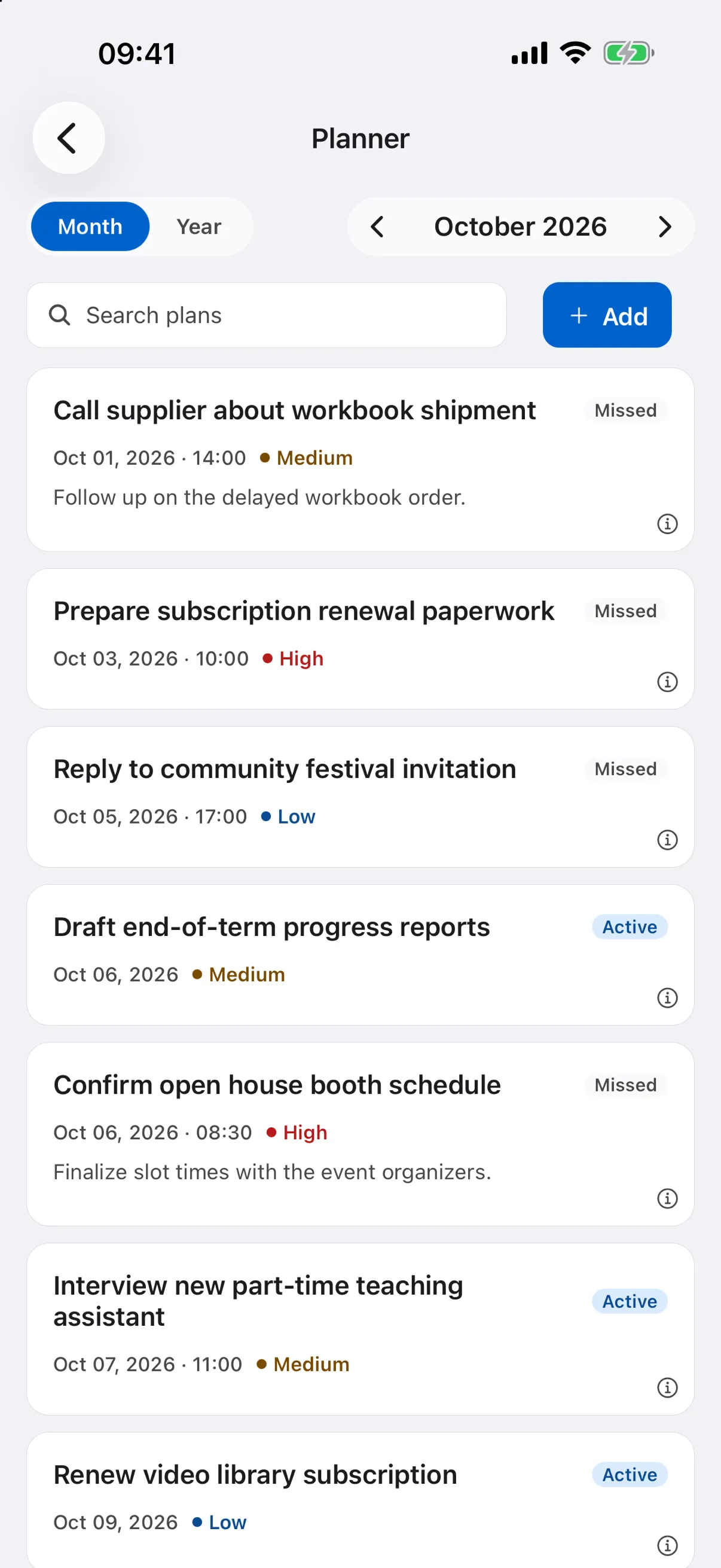
Priority, date and time
Give every plan a priority, a start date and an optional time. All-day plans work too.
Reminders that arrive on time
Plans with a start time trigger a notification, as early as you choose.
Honest statuses
Active, completed or missed, updated for you. Reopen a finished plan if you need to.
Right on your dashboard
Today's plans show in the same timeline as your sessions, and overdue ones collect under Needs attention.
Priorities, times and reminders for your own to-dos

Expenses

See what teaching really earns you.

Revenue is only half the story. Log what running your classes costs, by category, and the diary works out your net income for you.

Log in seconds
Amount, category, a note and a date that defaults to today.
Browse by month or year
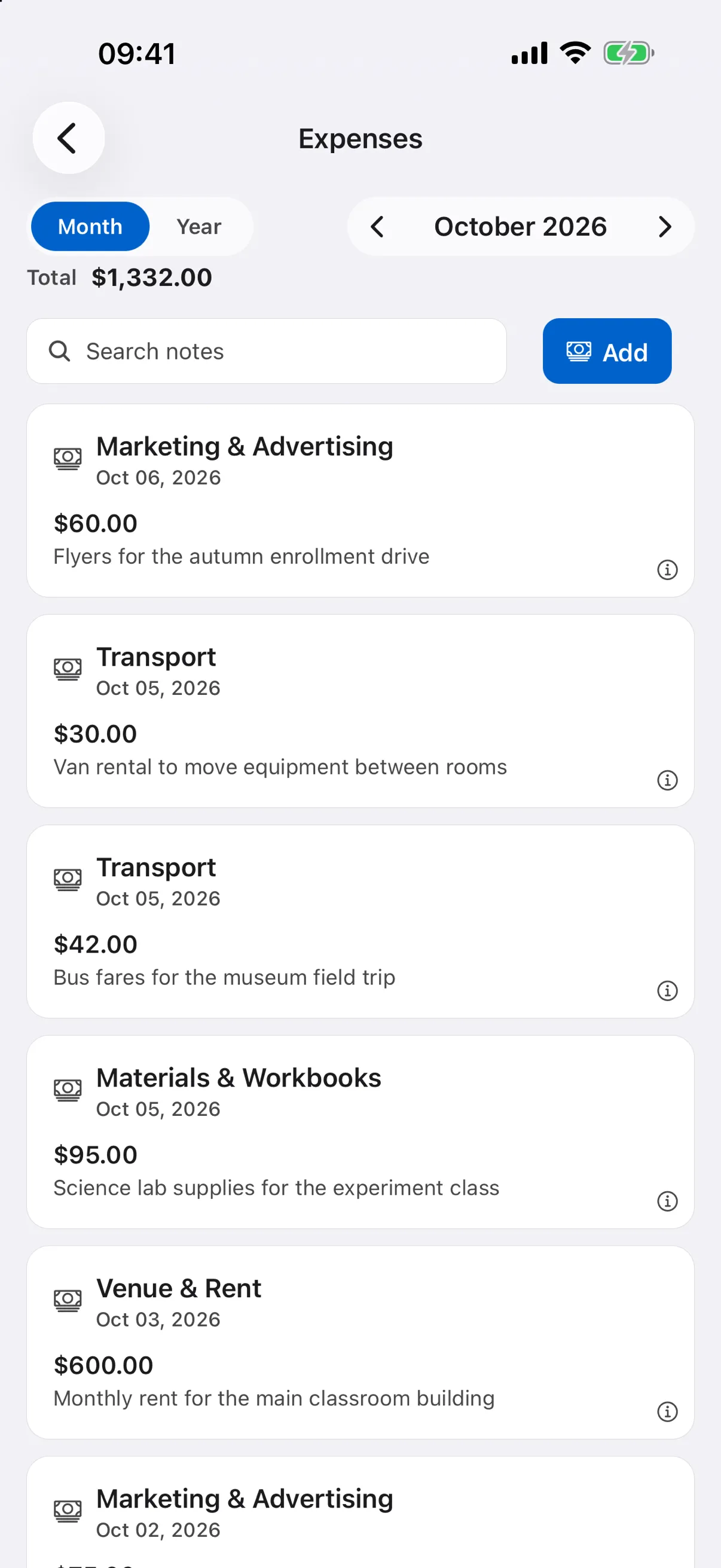
See each period's total and every entry, newest first, with search across notes, categories and amounts.
Edit anything, anytime
Fix a typo or delete an entry with a single tap on the row.
Feeds net income
Expenses flow into analytics, where revenue minus costs shows what you actually keep.
Monthly expenses by category

Analytics

Your business, in plain numbers.

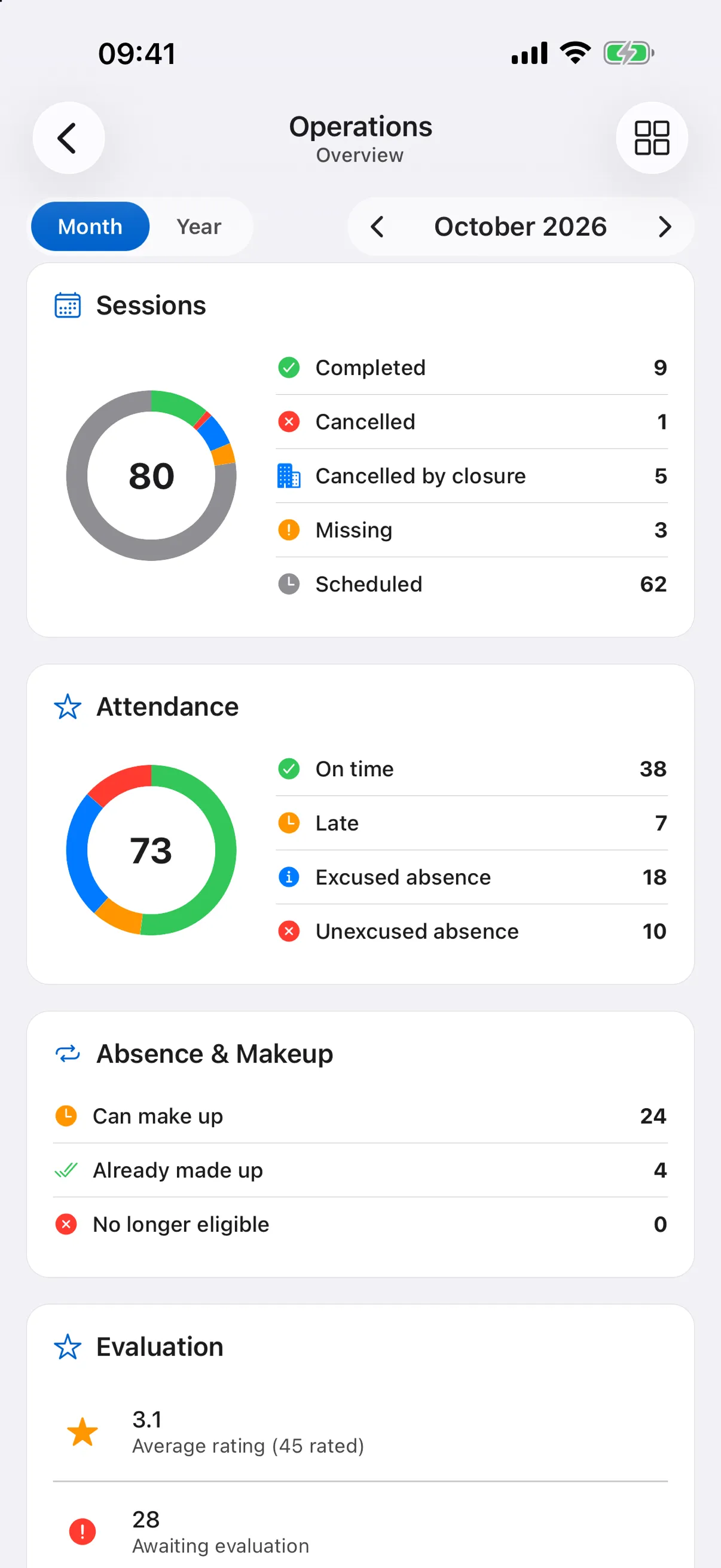
Monthly and yearly reports for your whole business, or for any single class, student or teacher. Always up to date, never something you have to generate.

Operations
Sessions completed, cancelled or missing. Attendance breakdown. Makeups. Average rating with a trend line.
Finance
Revenue, billing conversion, what each price-list item sells, and net income after expenses.
Pass health
Top-ups, transfers, adjustments and the balances running low.
Growth
New versus returning students and teachers, and classes started, running and ended.
Zoom to one person or class
Open a report for any single class, student or teacher, and share it as a branded document.
Sessions, attendance and ratings at a glance

Diary & branding

Make the diary unmistakably yours.

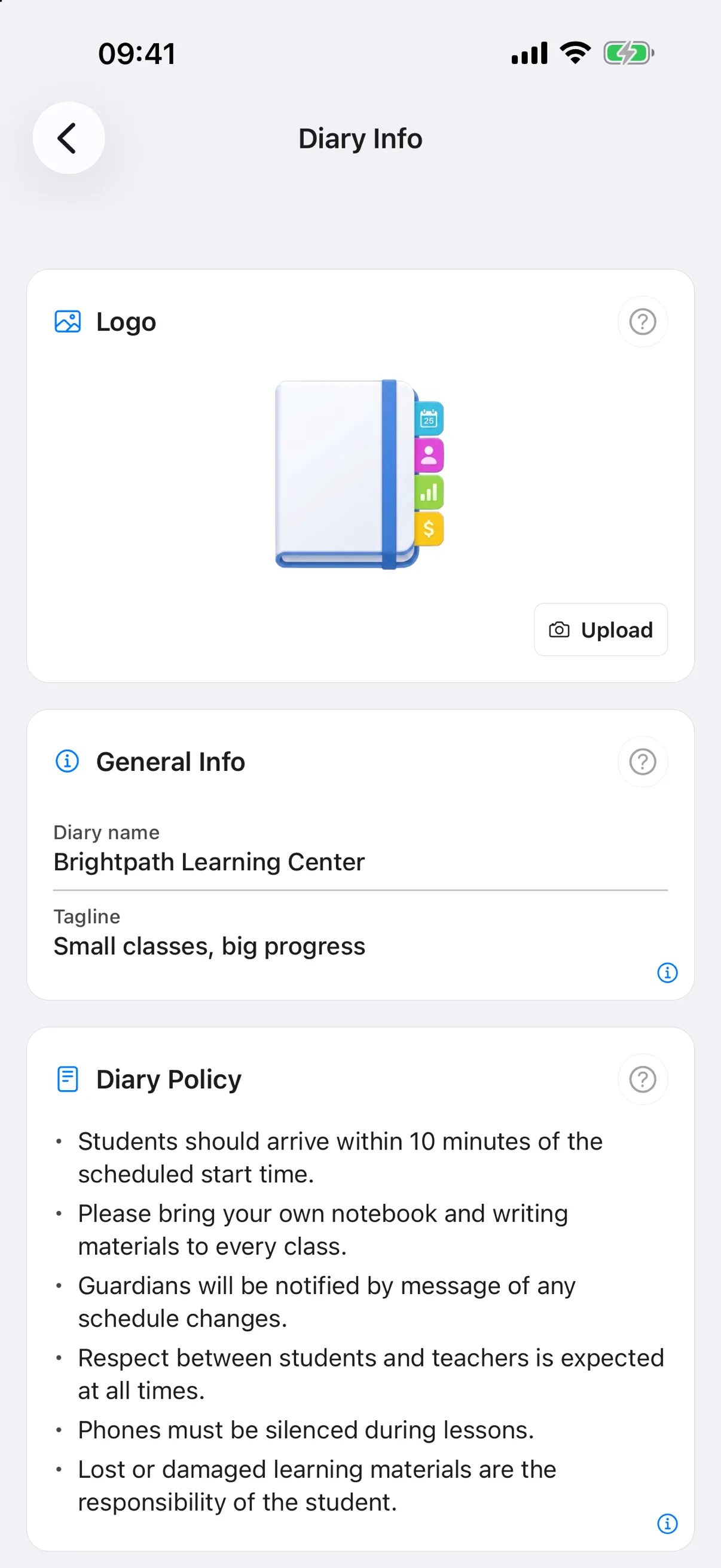
Set your name, tagline, logo and contact details once, and they follow you onto every document. Then make the app look and feel the way you like.

Your identity everywhere
Diary name, tagline, logo, owner and contact details appear on recaps, invoices and reports.
Payment QR code
Add your payment QR image so parents can pay straight from the invoice.
Nine currencies
Choose USD, EUR, GBP, VND, JPY, KRW, AUD, CAD or SGD. It formats amounts, it never converts them.
Nine theme packs, light or dark
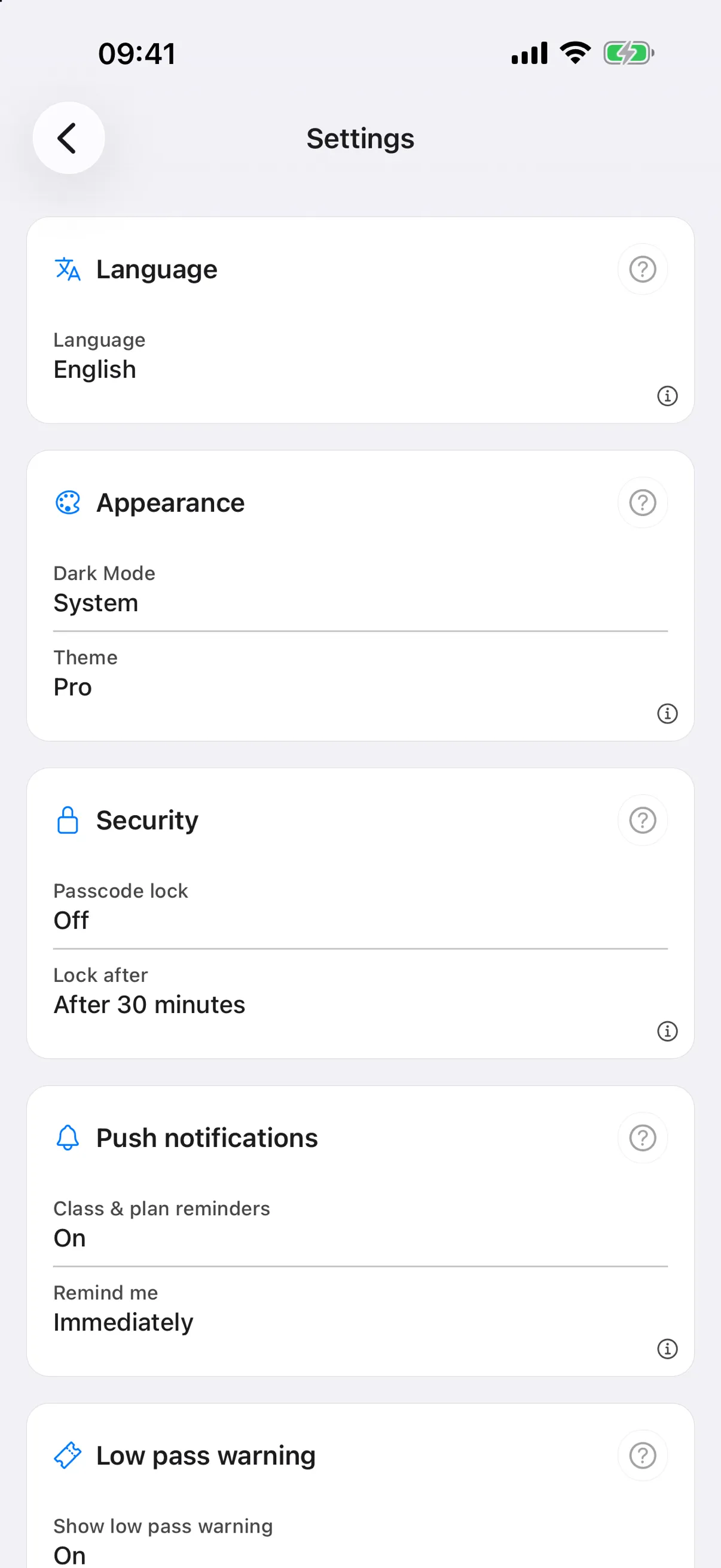
From Classic Light to Midnight Dark, High Contrast, Nordic Minimal and Cyber Neon. Follow the system or pick your own.
Five languages
English, Vietnamese, Spanish, Japanese and Korean, switched instantly from Settings.
Your name, logo and policies on every document
Language, theme, lock and reminders

Backup & privacy

Sleep easy. Your data is safe.

Everything is stored on your device and protected by an app lock. Back it up to keep it forever, and restore it on a new phone in minutes.

Five backup slots
Create a full backup with a progress bar, see its date and size, and keep the newest five.
Share a backup anywhere
Send a file to email, a cloud drive or another phone, so a lost device never means lost records.
Restore with confidence
Backups are validated before they replace your data, and restoring always asks you first.
Biometric app lock
Face or fingerprint unlock, with a re-lock delay you choose.
Backup reminders
Choose how many days can pass before the app nudges you to back up.

Your next class starts better with a clear head.

Download Tutor Diary free for iPhone and Android. Set up your first class in minutes.